Center
Id prefix: CNTR · Elements: three or four · Selection filter: FACE / EDGE / VERTEX · Entry 9 of 16 in the panel's + dropdown
Center holds one component midway between two parallel planar faces of another — a tab in a slot, a pin between two walls. It takes three or four elements, and it is the only constraint whose picks have roles it works out for itself: the parallel pair on one component is the width, and what was picked on the other is the tab.
The count is the option. Three picks centre that one element on the mid-plane between the width faces; four picks centre the pair's own middle — the mid-plane of two faces, the mid-line of two axes, the midpoint of two vertices — on it. Pick order does not matter, and the status message names the roles it inferred.
A planar tab is held coplanar with the mid-plane (with its Facing, facing), a cylindrical
face or edge has its axis held in the mid-plane, and a vertex sits on it. The two width faces
must be on the same component: centring a part between faces of two different parts is
refused.
Parameters
| Parameter | ||
|---|---|---|
elements | three or four: two parallel faces on one component, then one element or two like elements on another | The width, then the tab. |
facing | aligned / opposed dropdown, unset on a new constraint | Planar tab only. A new constraint takes the facing it is placed with and shows it here after its first solve; Flip picks the other one. |
Walkthrough
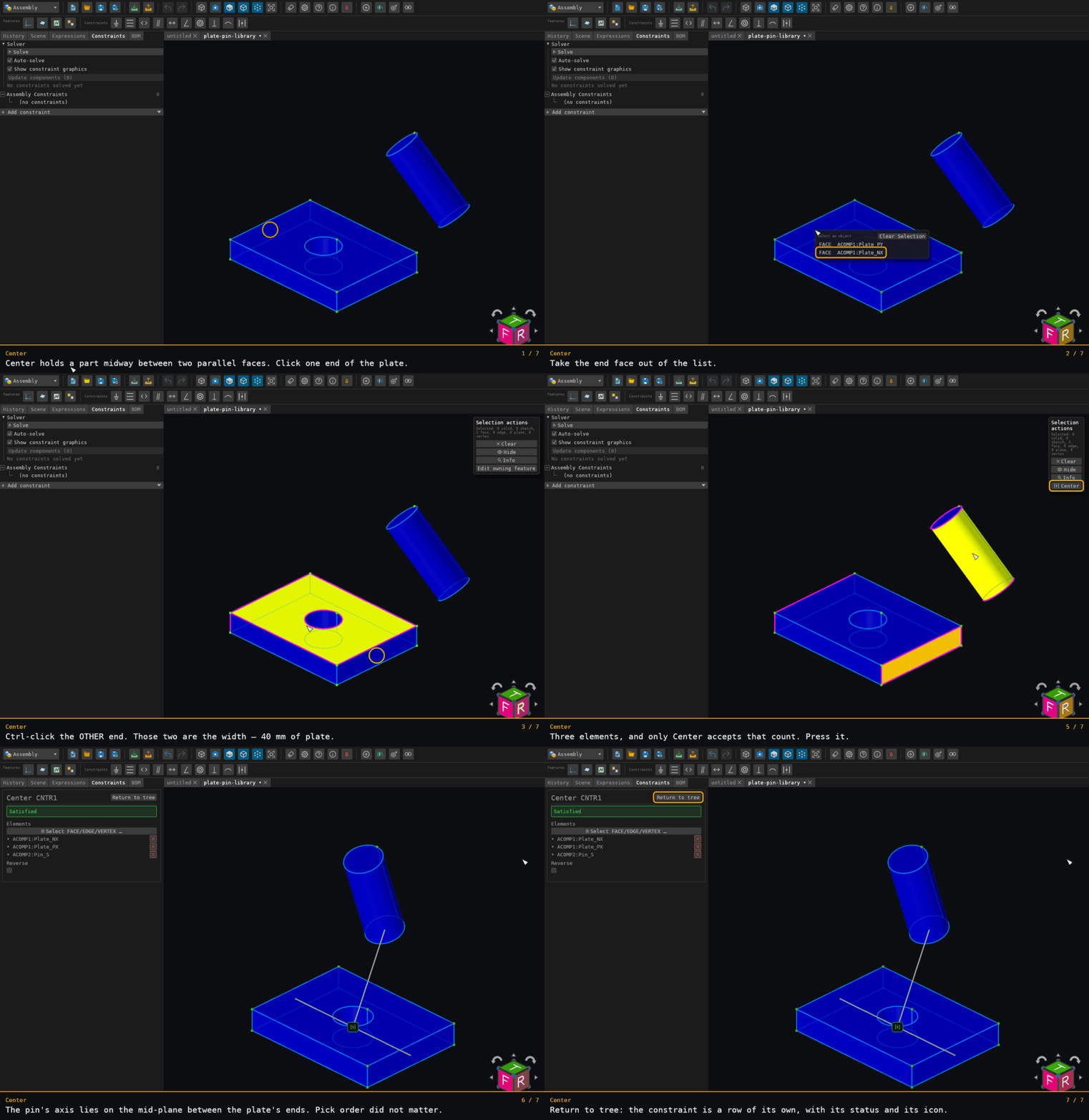
Three picks: the plate's two ends, then the pin's barrel. The plate's far end lies behind its top face from the camera and is taken out of a pick list; the other two are ctrl-clicks.
The plate's ends are x = 0 and x = 40, so the mid-plane is x = 20 — where the pin's axis lands, with y and z left where they were.
Offered for three or four elements across two components, with at least two faces — never for a plain pair. See where constraints are offered.