Pattern Component
Status: Implemented (linear, circular, and following another part's Hole feature or Pattern feature)
A Pattern Component places copies of one or more components, laid out the way the part Pattern lays out solids. You mate ONE component — the seed — and the pattern places the rest relative to it. The copies are instances: they follow the seed wherever its mates put it, they need no constraints of their own, and the BOM counts them like any placed part.
Inputs
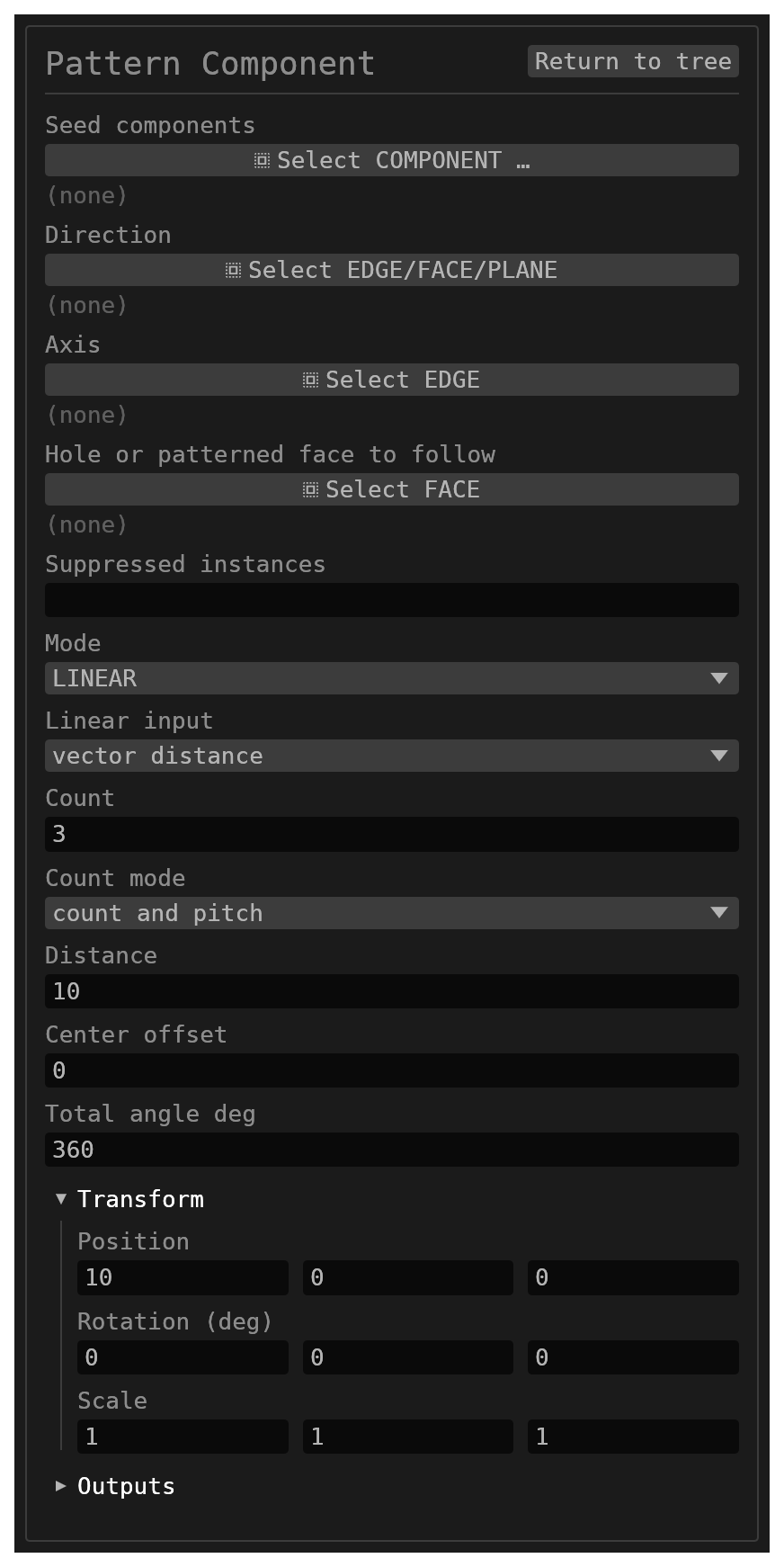
seeds(reference_selection,COMPONENT,multiple: true) – the components to pattern. Pick the component, or any face of it.mode,linearInputMode,count,countMode,offset,directionRef,linearDistance,axisRef,centerOffset,totalAngleDeg– exactly as on the part Pattern.countincludes the seed. A direction or axis may be an edge or face of another component.driver(reference_selection,FACE) – HOLES and PATTERN modes: one hole of another component, or one face of a feature that component's part patterns, at the place the seed is mated to (see Following holes and Following a part's Pattern).suppressed(string, default empty) – instance numbers that place nothing (3, 5). The seed is instance 1 and cannot be suppressed here. In Holes mode the numbers are the hole keys the instances carry.id– astringof the formAPAT<digits>.
Instances
- Instance
nof seedACOMP3inAPAT1is the componentAPAT1.ACOMP3.i<n>; its solids and faces are named under that id, like any component's. nis the instance's place in the pattern. A suppression stays on its place when the count changes: suppress instance 3, raise the count, and place 3 stays empty while the new instances appear. A number past the count does nothing until the count grows back.- An instance sits at its pattern offset from the seed's pose after the mates are solved, in the same run: move the seed or change its mates and every instance follows.
- An instance takes no mates. A constraint that names one reports which seed to mate instead, and a pattern cannot use an instance as its seed.
- Replacing the seed's part (Replace component) re-patterns: every instance places the new part.
Following holes
Set mode to HOLES to put a copy of the seed in every hole of a Hole feature in another
part: a screw in every hole of a plate.
- Place the screw and mate it into one hole: Concentric with the hole's wall, and Touch Align or Distance for how deep it sits.
- Add a Pattern Component with the screw as its seed,
modeHOLES, and pick that same hole's wall asdriver.
Every other hole that the same Hole feature drilled gets a screw, at the same offset from its hole as the seed has from the picked one. A hole on a different axis turns the copy so its axis lies along that hole; the copy is not turned about the hole's axis.
The holes are read from the part itself, so the pattern follows the part:
- Make the plate longer so its Hole sketch has more points, and the next run (after the part is updated in the assembly, for example with Update components) places screws in the new holes. Removed holes lose theirs, and a moved hole moves its screw.
- Each instance is keyed to its hole, not to its place in a list. The key is
1000 × (point number + 1) + copy: the hole at sketch pointP2is3001. A hole that is copykof a part Pattern (its wall named…::<pattern>_<k>) is3000 + k. Instance ids readAPAT1.ACOMP3.i3001. - Suppress an instance (its context bar's Suppress instance, or its key in
suppressed) and that hole stays empty however many holes are added or removed. A key whose hole disappears does nothing until the hole comes back. - The offset is kept in the plate's frame: move or turn the plate, by hand or through its own mates, and the screws go with it.
The picked hole must be a hole wall (…:P<n>_Hole_S) of a component other than the seed.
Any other face is refused, and the message says what to pick.
Following a part's Pattern
Set mode to PATTERN to put a copy of the seed at every copy of a feature that another
part repeats with its own Pattern: a pin on every lug of a patterned ring.
- Mate the seed to one copy of the patterned feature, the source or any copy.
- Add a Pattern Component with that seed,
modePATTERN, and pick a face of that same copy asdriver(ACOMP1:Lug_PY, orACOMP1:Lug_PY::PC_3on copy 3).
Every other copy of that face gets an instance, placed and turned the way the part's Pattern places and turns its copy, relative to the one you picked.
- Instances are numbered as the part numbers its copies: the source is
1, copykisk(APAT1.ACOMP3.i3). The seed's own copy has no instance. - Change the part's Pattern (more copies, another angle or spacing) and update it in the assembly, and the instances follow: new copies get one, removed copies lose theirs, and moved copies move theirs.
- A suppressed number stays empty whatever the count does, as in the part's Pattern.
- The offsets are kept in the driving part's frame, so moving or turning that part carries the instances with it.
The picked face must be one the part's Pattern repeats. A face no Pattern copies is refused, and the message says what to pick. A copy that a later feature reshaped so that it is no longer an exact copy of the source is skipped, with a note naming it.