Transform Face
Status: Implemented
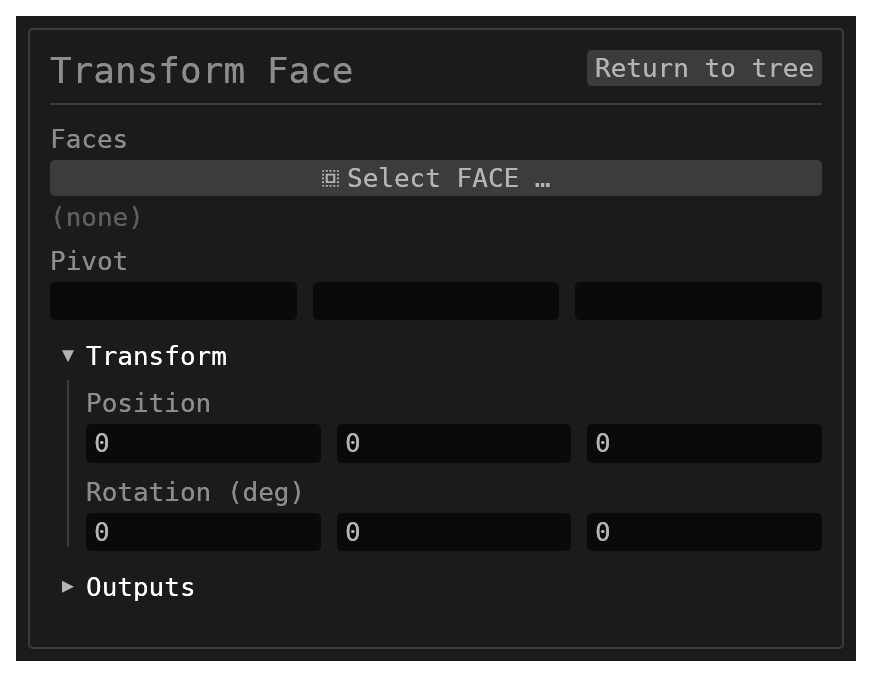
Transform Face moves and turns one or more selected faces of a solid, keeping each face's shape and size, and re-heals the neighbouring faces around the new position. Pick the faces and the transform gizmo appears on them: drag an arrow to slide them, drag a ring to tilt them, or type the values in the form.
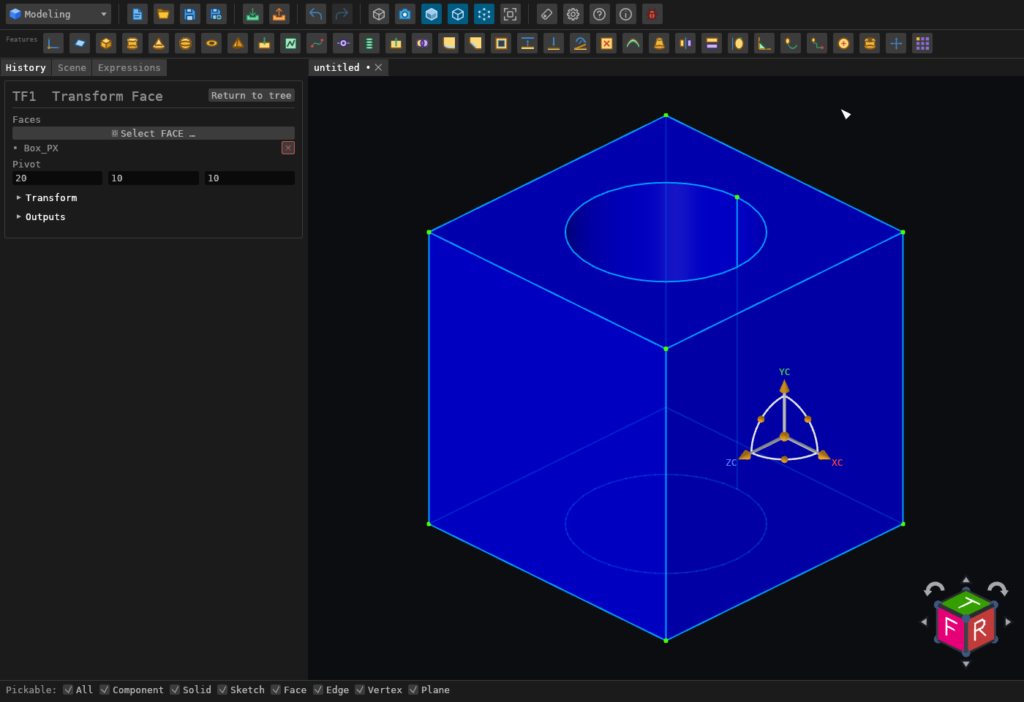
Moving is not the same as pushing. Push Face offsets a face along its own normal, so a pushed cylinder gets a bigger radius. Transform Face carries the face bodily: a moved cylinder keeps its radius and ends up somewhere else. On a flat face the two agree — moving it 3 mm along its normal is the same edit as pushing it 3 mm.
Walkthrough
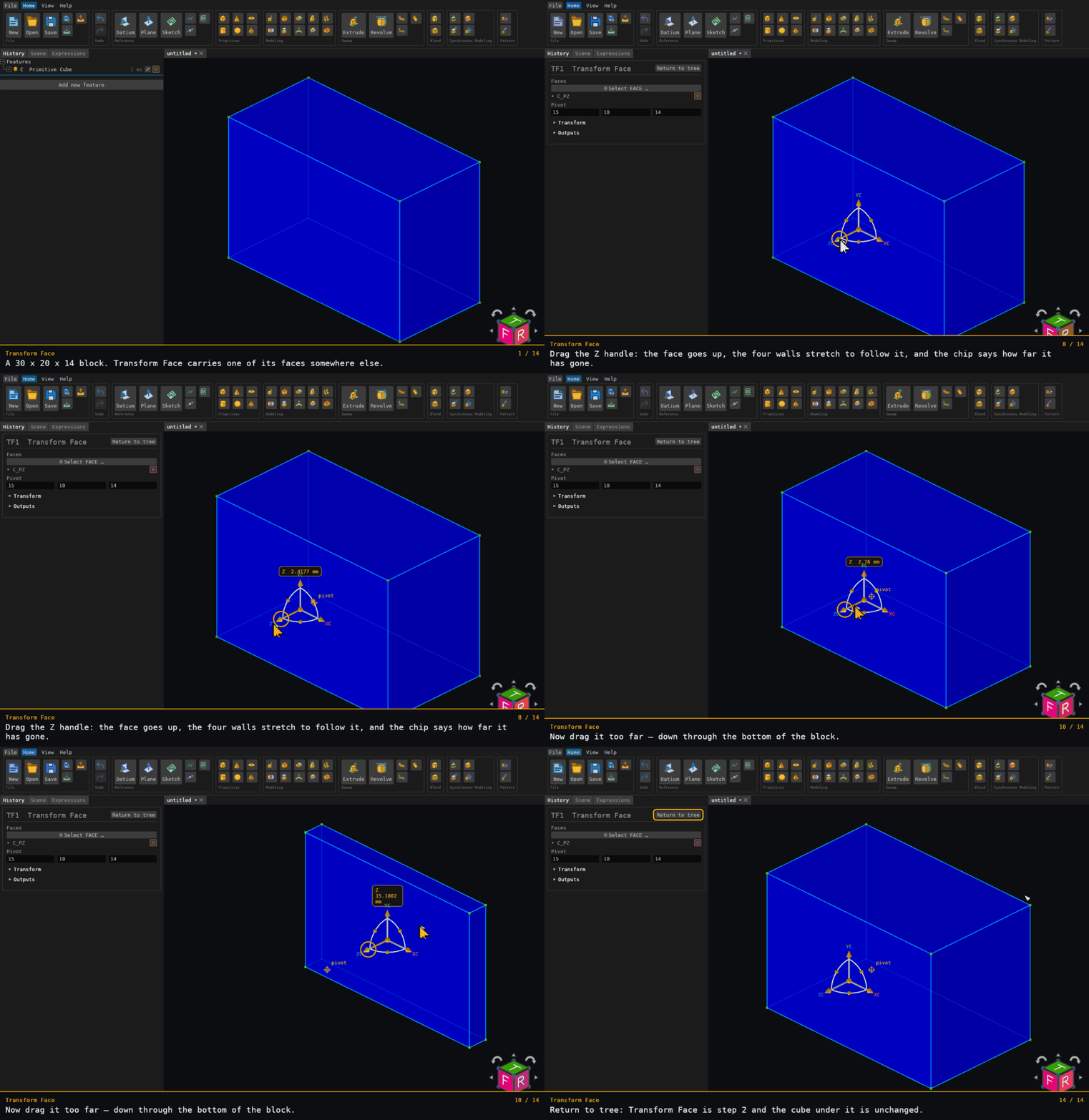
Recorded from the running app by BREP_mcp/tests/videos/transform-face.json; regenerate every walkthrough with ./build.sh docs-videos.
Inputs
id(string, defaultnull) – optional identifier for the history entry.faces(reference_selection,FACE, default[],multiple: true) – one or more face selections on the same solid.pivot(vec3, defaultnull) – the point the faces turn about, in millimetres. It is filled in with the centre of the selection when you pick the faces, and you can type another point.transform.position(vec3, default[0, 0, 0]) – how far to move the faces, in millimetres along X, Y and Z.transform.rotationEuler(vec3, default[0, 0, 0]) – how far to turn them, in degrees about X, then Y, then Z, the same convention the Transform feature uses.
Every component accepts a number or an expression. There is no scale: a face transform moves and turns faces, it never resizes them, and a document that asks for a scale other than 1 is refused.
The gizmo
- Picking the faces shows the gizmo at the pivot. Until something is picked there is nothing to put it on, so it stays hidden.
- Drag an arrow to move along that axis, or the orange centre ball to move freely
in the plane of the screen. Both edit
transform.position. - Drag a ring's ball to turn about that axis, through the centre of the gizmo. This
edits
transform.rotationEuler. - The form's fields follow the drag as it happens, and typing a value moves the gizmo.
- The gizmo sits where the pivot has moved to, so after a move the rings still turn the faces about the point you are holding.
- While you drag, a chip above the gizmo says how far you have gone —
X 1.8508 mmfor an arrow,Y 42.4584°for a ring. It is the same number the form's field holds, to the same digits, so dragging it and typing it agree. It names an axis only when the motion really is along one: the arrows of a gizmo you have already turned point along the turned axes, and that readsΔ. - Once the gizmo has moved off the pivot, the pivot itself is marked with a small crossed
ring labelled
pivot, so the point the rings turn about is visible rather than only being three numbers in the form. - Each drag is one undo step: undo after a drag takes back that drag and leaves the drag before it alone. A typed value and the drag that follows it still undo together.
Turning about an edge
The faces turn about the pivot. To hinge a face about one of its edges, type a point on
that edge as the pivot, then turn about the axis the edge runs along. A 10 mm cube's +X
wall with pivot (10, 5, 0) and rotation (0, 30, 0) turns about the edge it shares
with the z = 0 face: that edge stays where it is and the solid becomes a wedge. With
the default pivot, the centre of the wall, the same rotation tilts it about its middle
instead: one side swings out as far as the other swings in.
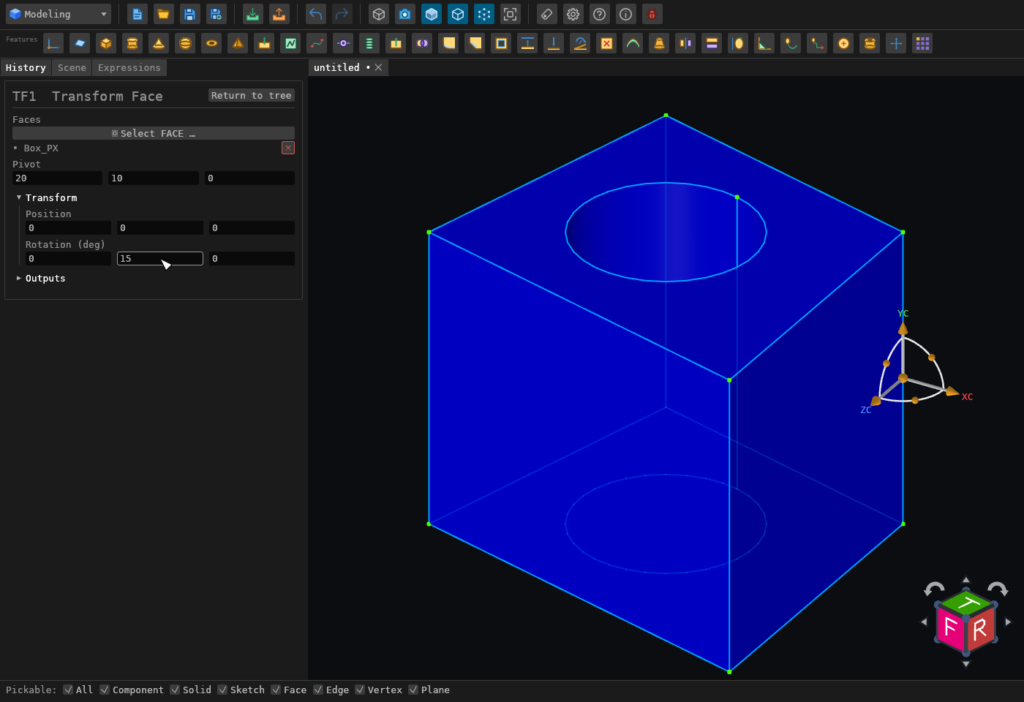
A positive angle turns right-handed about its axis: point your right thumb along the axis and the face follows your fingers.
Behaviour
- Resolves all selected faces to a single source solid.
- Carries the whole selection together, so an edge shared by two selected faces travels with them instead of being re-cut.
- A motion that both turns and moves is done as the turn first, then the move. If one of the two cannot be healed on its own the feature says which — the rotation step or the translation step — so you know which value to change.
- Only the normal part of a move shifts a flat face: sliding a flat face along itself leaves the solid exactly as it was, and so does sliding a cylinder along its own axis. A turn about a face's own axis of symmetry does nothing either: spinning a flat face about its own normal, or a cylinder about its own axis with the pivot on that axis, gives the solid back unchanged.
- Preserves the face and edge names and the solid's name, so later features that reference
them keep working. Usually nothing is added or removed. There are two exceptions, where the
motion changes which faces the body has. First, when a hole's mouth is carried across onto
a neighbouring face, a face can come back in two pieces, and the second piece is named
<name>_1. Second, a re-cut (see below) can leave a face off the body altogether. - An empty selection, selections spanning multiple solids, and no motion at all are soft no-ops. Unresolved face names are reported for reference repair.
Supported faces
The face you transform may be any shape. What decides whether the edit succeeds is the faces AROUND it — the ones that have to be re-cut where the moved face used to meet them.
When the faces are only moved:
| Neighbouring face | Supported examples | Main limits |
|---|---|---|
| Flat | Box walls, multi-loop tops, oblique walls, holes carried along with their face | A move that squashes an adjoining face to nothing, or past it, is refused |
| Cylinder | Caps moved along the cylinder's axis; a bore or a boss slid across a flat; a face moved over a hole drilled at an angle to it, whose mouth is re-cut as an exact ellipse | A pocket floor lying along the cylinder's axis is refused. A move that carries an angled hole's mouth past the edge of its face builds: the hole breaks out through the neighbouring face |
| Cone | Frustum and conical hole caps, straight or oblique; a face moved over a tapered hole drilled at an angle to it | A cap moved onto or past the cone's point is refused |
| Sphere | A flat face moved across a spherical neighbour | Caps that vanish into the sphere are refused |
| Torus, general revolution, free-form | — | Refused, naming the face it could not re-cut |
When the faces are turned:
| Neighbouring face | Supported examples | Main limits |
|---|---|---|
| Flat | Box walls in and out, a wall hinged about an edge somewhere else on the part, a top face with a square pocket carried along, two adjacent walls turned together | An angle that lays the face parallel to a neighbour, or that turns a neighbour's trim inside out, is refused |
| Cylinder or cone, spun about its own axis | A face spun about that cylinder's or cone's own axis, which changes nothing | — |
| Cylinder or cone at an angle to the face | A top face tilted over a hole drilled at an angle through it (the hole's mouth becomes a new ellipse, cut exactly), a cylinder's end cap tilted about one of its diameters | A tilt that lays the face parallel to the hole's own axis is refused: the face would meet the wall in straight lines, not in a closed mouth. A tilt that carries the hole's mouth past the edge of the face builds: the hole breaks out through the neighbouring face |
| Sphere, torus, general revolution, free-form | — | Refused, naming the face it could not re-cut |
Round holes are carried with the face they open through. A drilled or tapered hole, straight or at an angle, stays where it is in the solid while the face around its mouth moves or tilts. The mouth is re-cut where the face now meets the hole's wall, as an exact ellipse on a cylinder or the matching curve on a cone, not an approximation.
The hole's own wall can be moved or turned too, and its far mouth may then leave the face it was drilled through. A bore wall slid sideways until its mouth runs off its face breaks out through the neighbouring face. A bore slid so far that it has left the solid entirely is refused. A bore wall turned about the centre of its entry mouth, so that its exit walks off the top of a block and onto a side, builds at every angle measured up to 72°. At 73° and 75° the mouth reaches two neighbouring faces at once, at a corner, and the turn is refused.
When the faces cannot follow: the re-cut
Some motions have no answer by re-fitting the neighbours, because the right result needs a face to stop existing: a slot's ceiling dragged clean out of the top of the part should leave an open channel. The feature then takes the original solid and cuts away the material the motion sweeps out of it (or adds the material swept into it), and a note on the feature says the selection was re-cut. The motion can be a move, a turn or both.
The re-cut is tried only when the ordinary edit builds a body and then rejects it as unsound; a motion the ordinary edit refuses outright is not re-cut. Either way it never changes a result that already builds. It has its own limits, and when it declines as well, the refusal carries both reasons:
- every selected face, and every face bordering one, must be flat;
- the selected faces must all move the same way, either all into the solid or all out of it;
- a face turned through a right angle or more is refused;
- a face turned about a line that crosses the face itself is refused, because part of it would move into the solid and part out;
- a face whose outline is not convex, such as the floor of an L-shaped pocket, is refused rather than cut to the wrong shape.
A rounded edge (a fillet) along the boundary of a face you turn is refused. The face is tangent to the rounding there, so tilting it leaves no closed edge to re-cut: the face would lift off the rounding or cut into it somewhere else.
When it refuses
While a Transform Face is refusing it builds nothing at all: it does not fall back to its last good motion, so the faces spring back to where they were before the feature ran. The solid itself is left whole.
The app says so where you are working. A red chip above the gizmo names which of the two motions refused (Move Face or Rotate Face), which face you had selected, why in a sentence, and what to do about it; the same sentence appears as a banner above the feature's fields and as a leaf under its row in the tree. The kernel's own wording names the NEIGHBOURING faces that could not follow the motion, which are not the face you picked — the chip names both, as what each of them is.
The value you dragged to stays in the form, so you can ease it back and try again; one undo takes the drag back.
Related
- Push Face — change a face's size or offset it along its normal.
- Delete Face — remove a face and heal the neighbours over the gap.
- Transform — move, turn or scale whole solids.