Pattern
Status: Implemented
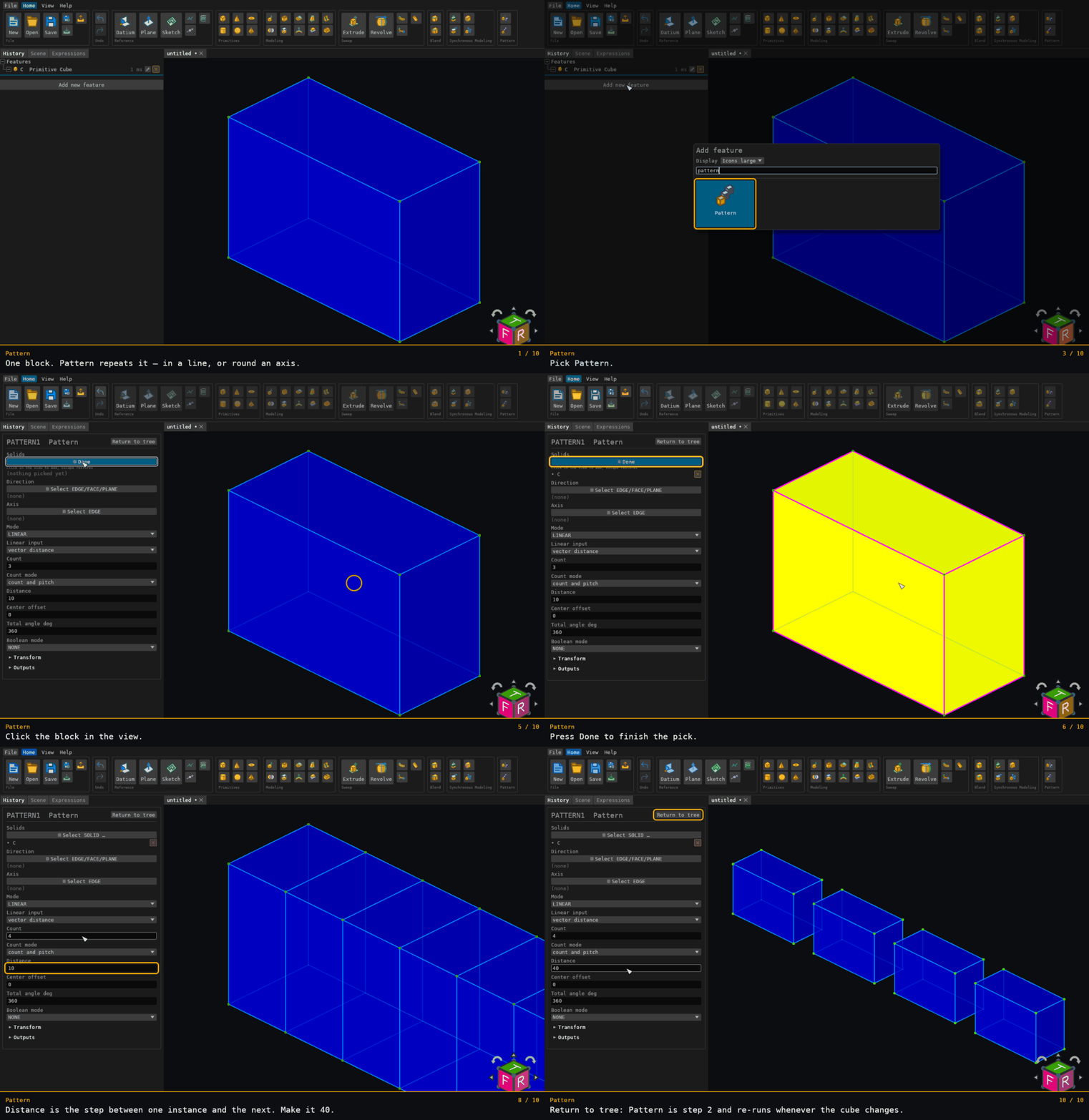
Pattern creates linear or circular arrays of solids, with an option to union the copies back into the source.
Walkthrough
Inputs
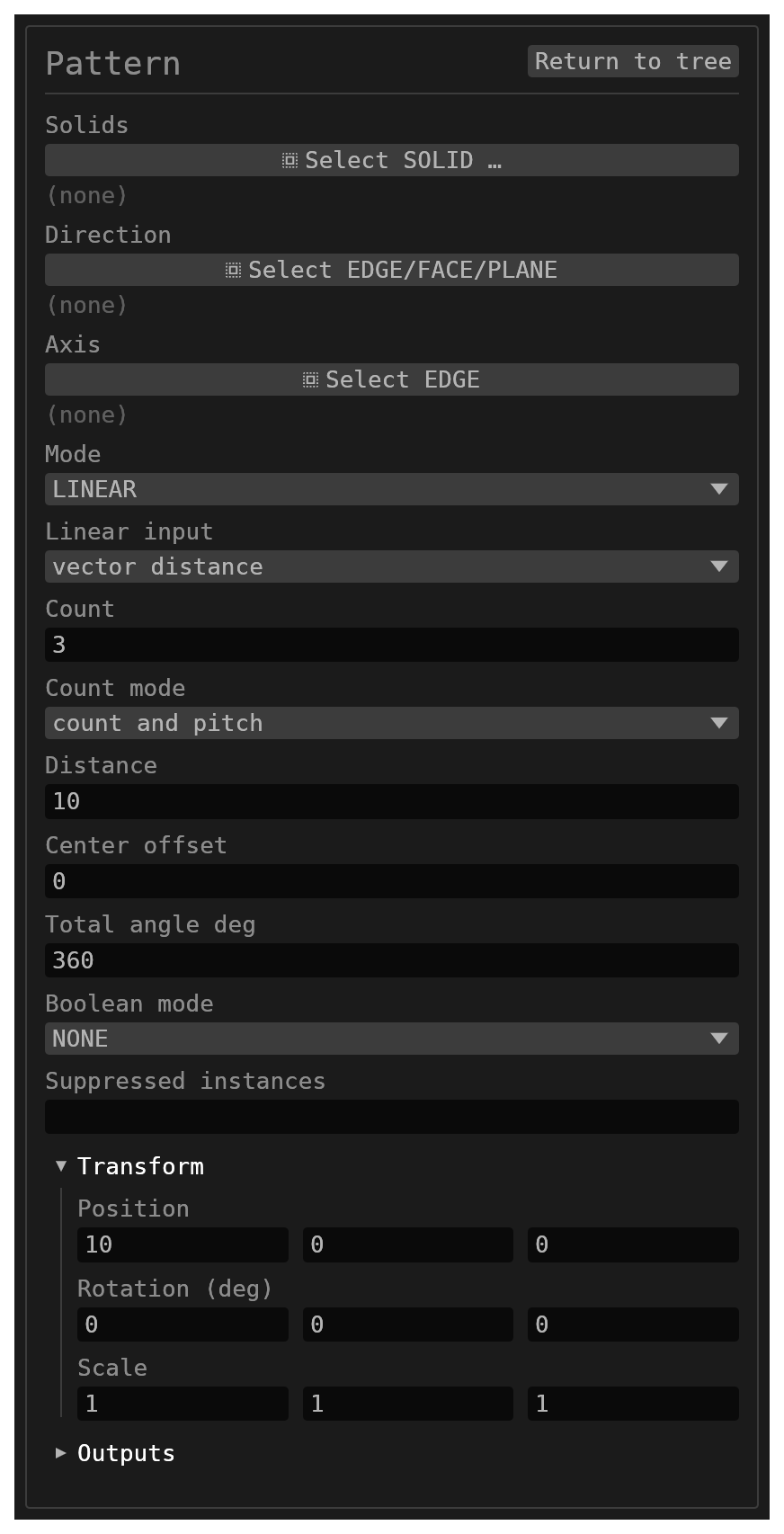
id(string, defaultnull) – names the clones (PATTERNwhen empty).solids(reference_selection,SOLID, default[],multiple: true) – solids to pattern.mode(options, defaultLINEAR) –LINEARorCIRCULAR.count(number, default3) – total instances including the original (truncated and clamped to at least 1).countMode(options, defaultcount and pitch) –count and pitchuses the distance/angle as the step between adjacent instances;count and spantreats it as the full extent and divides it acrosscount - 1intervals.linearInputMode(options, defaultvector distance) –transformuses the transform gizmo offset;vector distanceuses a selected direction reference and distance.offset(transform, default position[10, 0, 0], rotation[0, 0, 0], scale[1, 1, 1]) – transform used for linear patterns; onlypositionis applied.directionRef(reference_selection,EDGE/FACE/PLANE, defaultnull,multiple: false) – edge direction or face/plane normal used invector distancemode; world +X when empty.linearDistance(number, default10) – linear spacing along the selected direction.axisRef(reference_selection,EDGE, defaultnull,multiple: false) – edge supplying the axis direction and origin (its start point) for circular patterns; world +Y through the origin when empty.centerOffset(number, default0) – distance along the axis from the reference origin to the pattern center.totalAngleDeg(number, default360) – per-step circular angle incount and pitchmode, or total span incount and spanmode.0is read as360.booleanMode(options, defaultNONE) –NONEreturns separate bodies;UNIONfuses clones into each source and removes the originals.suppressed(string, default empty) – instance numbers that make no geometry, separated by commas or spaces (3, 5). Instance 1 is the source and cannot be suppressed.
Suppressing an instance
Select one copy (or a face of it) in the 3D view and press Suppress instance on the
selection bar: that copy disappears and its number is added to suppressed. It is one undo
step. While any copy of the pattern is suppressed, selecting another copy also offers
Unsuppress instances (N), which brings them all back; you can also edit the list in the
Pattern dialog.
A number keeps meaning the same place when the count changes: suppress instance 3, raise
the count, and instance 3 is still empty while the new copies appear. A number past the
count does nothing until the count grows back to it. A suppressed copy is also left out of
a UNION.
Behaviour
- Linear mode translates clones by
offset.position × instanceIndexordirectionRef × linearDistance × instanceIndex. - Circular mode rotates clones about the axis. In
count and pitchmodecount = 3andtotalAngleDeg = 90creates copies at 90 and 180 degrees. - Clone solids are named
{id}_{instance}, starting at instance 2. Every face and authored edge name is namespaced with::{cloneName}; topology edge names are then re-derived from those face names. A union result is named{sourceName}::UNION.