Gear
Id prefix: GEAR · Elements: exactly two · Selection filter: FACE / EDGE · Entry 11 of 16 in the panel's + dropdown
Gear couples two components' turns about their own axes, so turning one turns the other. Pick an axis on each gear: a cylindrical or conical face, a circular edge, or a straight edge. Gear only couples the turning. It does not hold the gears on their shafts: give each a Concentric to the part it turns in.
The two gears turn opposite ways, as an external mesh does. Turn on reverse for an internal gear or a belt, where they turn the same way. ratio is how many turns the second gear makes for each turn of the first, which is the first gear's tooth count over the second's. Leave it at 0 to take it from the two selections' radii, so picking the two pitch circles gives the right ratio without typing it.
A new Gear moves nothing: it starts from where the gears stand. Drag one gear by its Move gizmo's rotation ring and the other turns with it while you drag, however many turns you make.
Parameters
| Parameter | ||
|---|---|---|
elements | two axis-bearing elements (face / edge) | The two gears' axes. |
ratio | number, default 0 | Turns of the second gear per turn of the first. 0 = from the two radii (first / second). Expression-capable. |
reverse | boolean, default false | Turn both gears the same way (internal mesh, belt). |
The gears remember their phase between runs. Type a new rotation into one gear's transform and the next solve turns the other gear to match, while the gear you typed stays where you put it. A typed turn larger than half a turn of the faster gear is read as the shorter way round; for more, drag. Changing the ratio or the selections takes the gears' current positions as the new starting phase.
Walkthrough
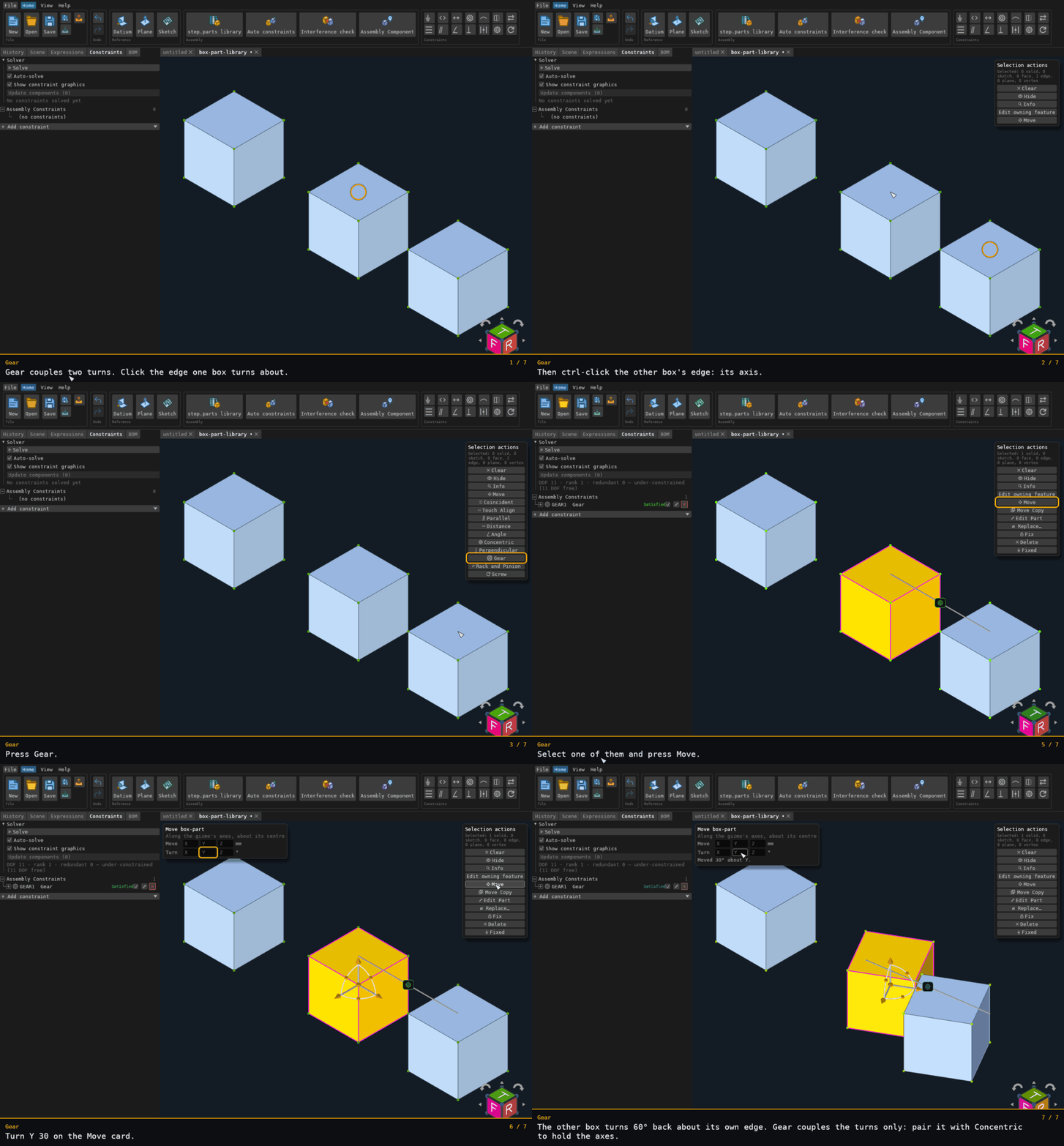
Three boxes, one grounded off to the side. The gear axes are the two boxes' vertical edges, picked with only edges selectable, and the ratio is 2. A typed Turn Y 30 on the Move card turns the first box 30°, and the second turns 60° the other way about its own edge. A gear couples the turns only, so the first box turns about the gizmo's centre and its edge moves with it. Pair each gear with a Concentric to hold its axis.
Recorded from the running app by BREP_mcp/tests/videos/constraint-gear.json; regenerate every walkthrough
with ./build.sh docs-videos.