Rack and Pinion
Id prefix: RACK · Elements: exactly two · Selection filter: FACE / EDGE · Entry 12 of 16 in the panel's + dropdown
Rack and Pinion turns a pinion's rotation into a rack's travel, and the rack's travel back into rotation. Pick the pinion's axis first (a cylindrical face or circular edge), then an element of the rack that runs along its travel: a straight edge, or a planar face whose normal is the travel. It only couples the motion. Hold the pinion on its shaft and the rack in its guide with other constraints.
distancePerRevolution is how far the rack moves for one turn of the pinion. Leave it at 0 to take 2π × the pinion selection's radius, which is right when you picked the pitch circle. reverse moves the rack the other way for the same turn.
A new Rack and Pinion moves nothing. Drag the rack and the pinion turns; turn the pinion and the rack slides, while you drag.
Parameters
| Parameter | ||
|---|---|---|
elements | the pinion's axis, then a rack element along its travel | Pick order matters. |
distancePerRevolution | number, default 0 | Rack travel per pinion turn. 0 = 2π × the pinion's radius. Expression-capable. |
reverse | boolean, default false | Move the rack the other way. |
Walkthrough
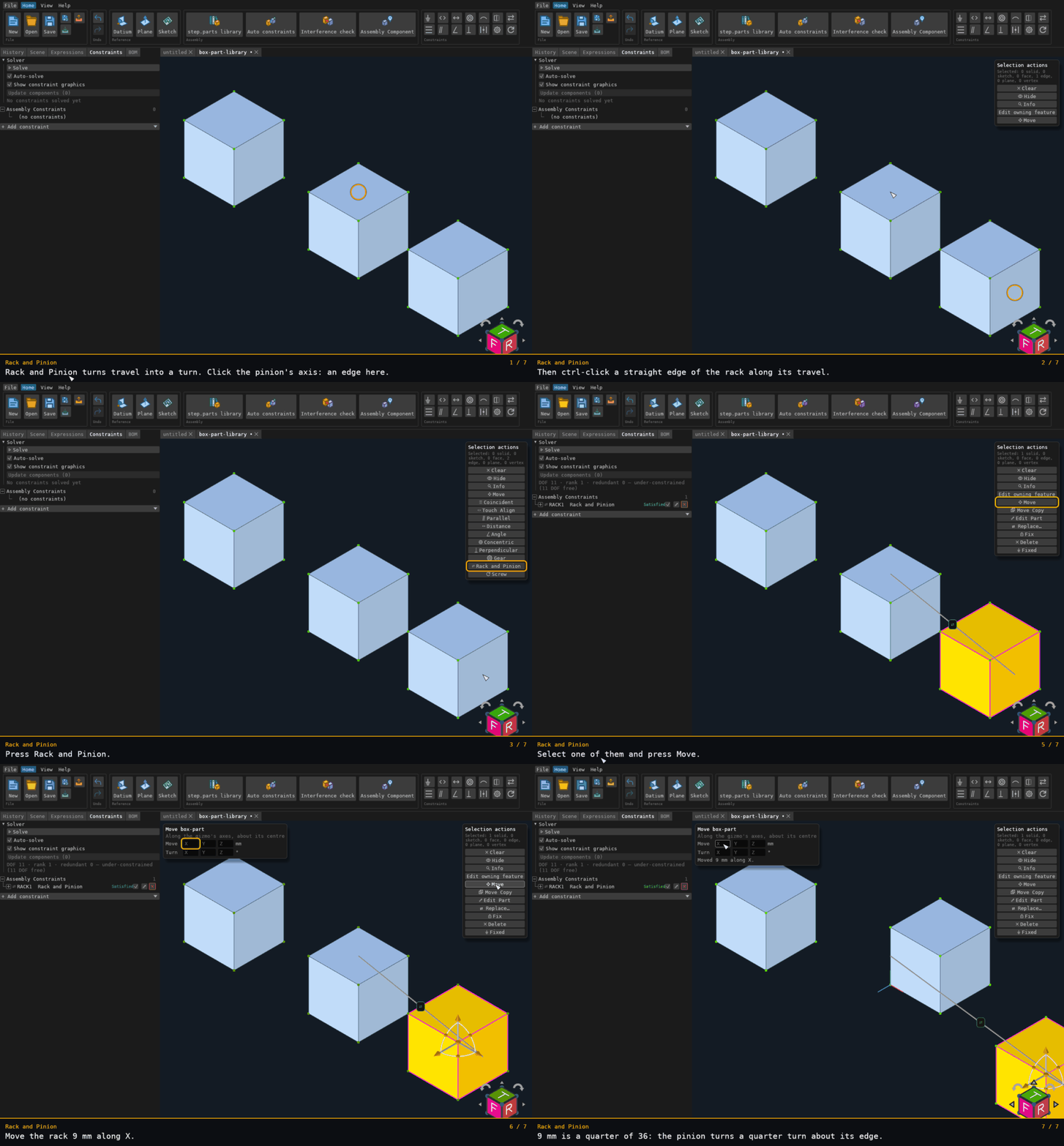
The pinion's axis is a vertical edge of one box. The rack's travel is a straight edge of the other, along X. An edge has no radius, so the travel per revolution is typed: 36 mm. Moving the rack 9 mm along X on the Move card turns the pinion a quarter turn about its edge.
Recorded from the running app by BREP_mcp/tests/videos/constraint-rack-pinion.json; regenerate every walkthrough
with ./build.sh docs-videos.