docs / features / Split
Split
Status: Implemented
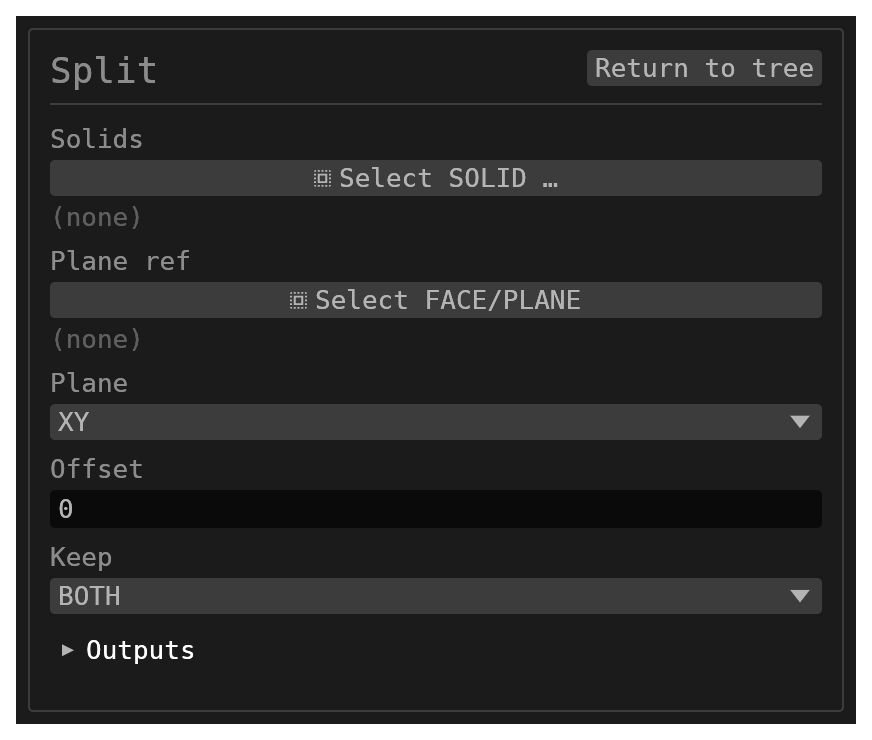
Split cuts one or more existing solids with a plane — a world base plane, a datum, or a planar face — or with the analytic carrier surface of a curved face (cylinder, cone, sphere, torus). Each cut body is replaced by up to two pieces.
Walkthrough
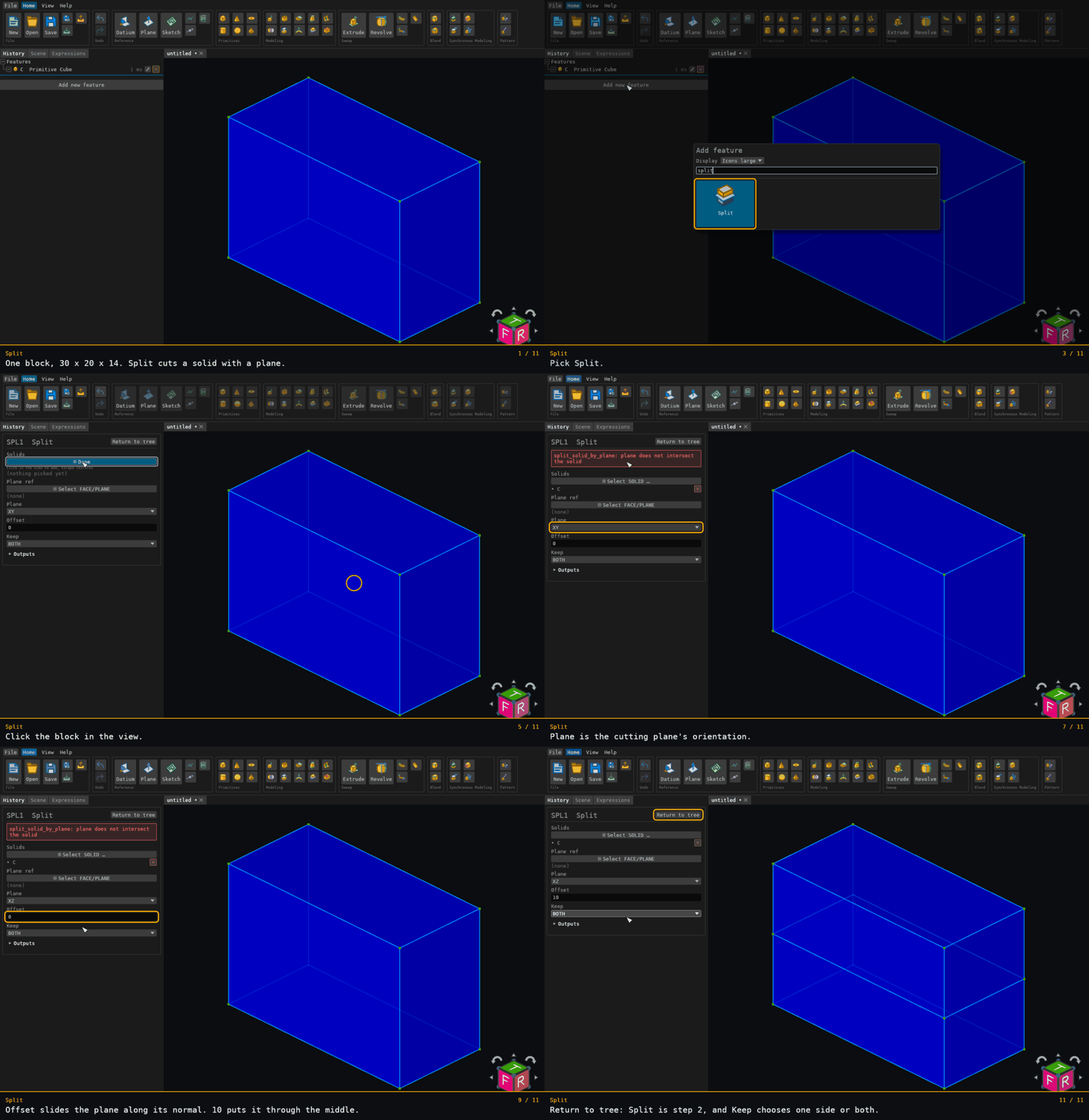
Recorded from the running app by BREP_mcp/tests/videos/split.json; regenerate every walkthrough with ./build.sh docs-videos.
Inputs
solids– multiplereference_selection(SOLID, default[]). All resolved solids are cut by the same tool.plane–options, defaultXY:XY,YZ, orXZ, through the world origin unlessoffsetmoves it. Ignored whenplaneRefresolves.offset–number, default0. Shifts the cut plane along its normal (origin + normal·offset).planeRef– singlereference_selection(FACEorPLANE, defaultnull) that overrides the base plane.keep–options, defaultBOTH:BOTH,ABOVE(the +normal side) orBELOW(the −normal side).id–string, defaultnull. Optional identifier for the history entry.
Behaviour
- Every selected solid is cut by the same tool:
- a planar face reference cuts by that face's plane, shifted along the face normal by
offset; - a datum or construction plane reference cuts by its frame origin and z-axis normal,
shifted by
offset; - a curved analytic face reference cuts by that face's carrier surface — and on this
path
offsetis ignored; - with no
planeRef, the named base plane is used. Its normal is the axis perpendicular to it:XY→+Z,YZ→+X,XZ→+Y.
- a planar face reference cuts by that face's plane, shifted along the face normal by
Watch the
XZsign. Split's ownXZbase plane has normal+Y, while theXZplane a Datium or a Plane registers has normal−Y. SoABOVEmeans the+Yside when you use Split'splanedropdown, and the−Yside when you pointplaneRefat a datum'sXZplane.XYandYZagree between the two.
- Each source body is consumed. Surviving pieces are named
{featureId}:{solidName}:Afor the ABOVE / +normal / outside piece and{featureId}:{solidName}:Bfor the BELOW / −normal / inside piece. Withkeep = BOTH,Ais added first. - Each piece's copy of the source face and edge names is suffixed (
{featureId}:A/{featureId}:B) to keep them unique, whether or not the sibling piece is kept.
Limitations
- A plane or surface that does not divide a body is an error (
plane does not intersect the solidfor a plane,tool surface does not divide the solidfor a curved one), not a silent no-op or a degenerate piece. - A
planeRefface whose carrier is a general (non-quadric) surface of revolution is rejected by the kernel. - Setting
keepso that no piece survives fails loudly (keepexcluded every piece) rather than deleting the body. - A
solidsname that does not resolve is recorded as unresolved and skipped, not an error. AplaneRefname that does not resolve makes the whole feature a no-op.