Helix
Status: Implemented — a sketch-like curve object with a single edge
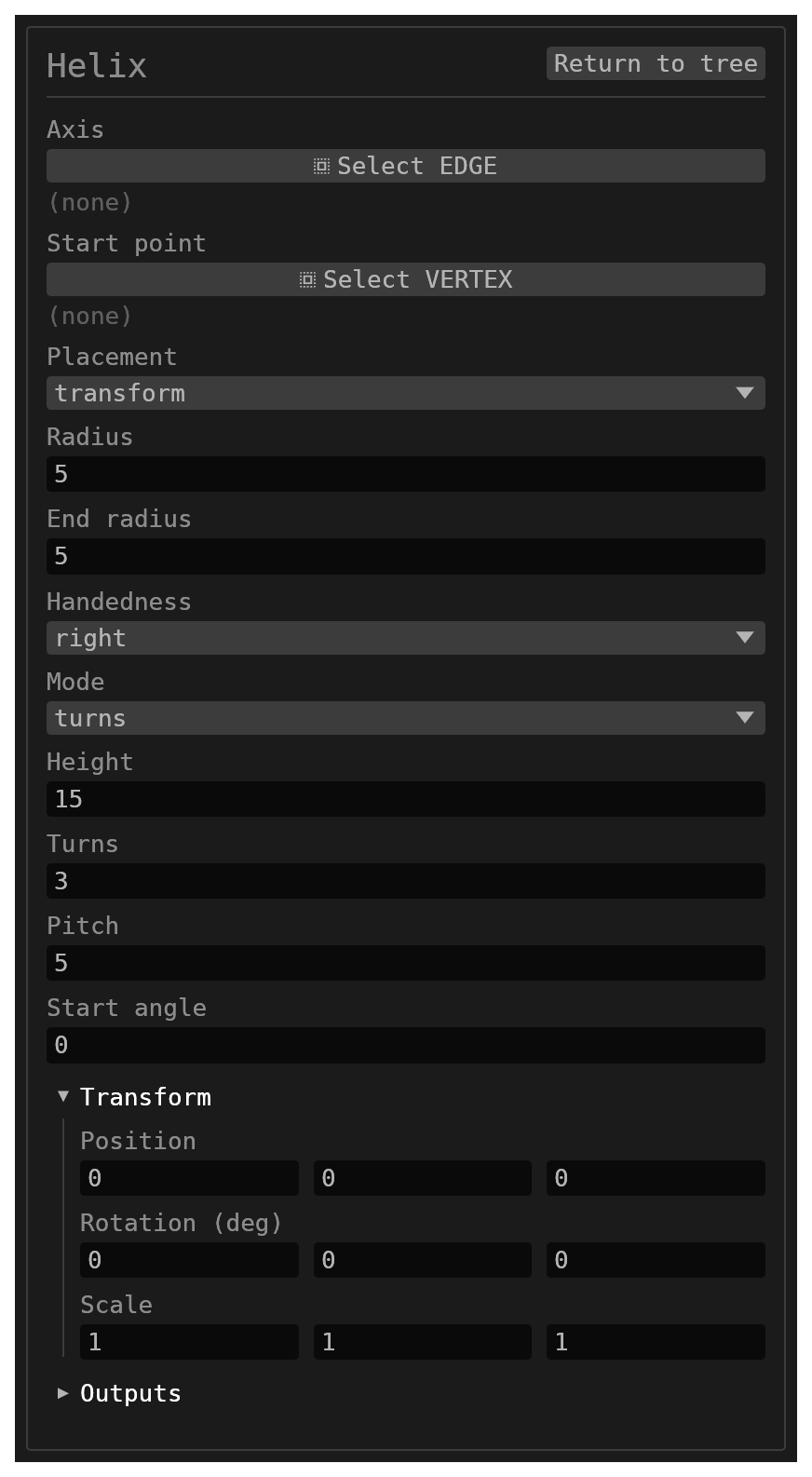
Helix creates a parametric helical curve: radius (optionally tapering), height, turns or pitch, handedness, start angle, and where it sits. It produces no solid. What it puts in the model is a sketch-like object with exactly one edge — the helix — drawn in the committed-sketch style (dim cyan), listed under the Scene tree's sketches with its own visibility checkbox, and pickable in the viewport like a sketch edge.
Walkthrough
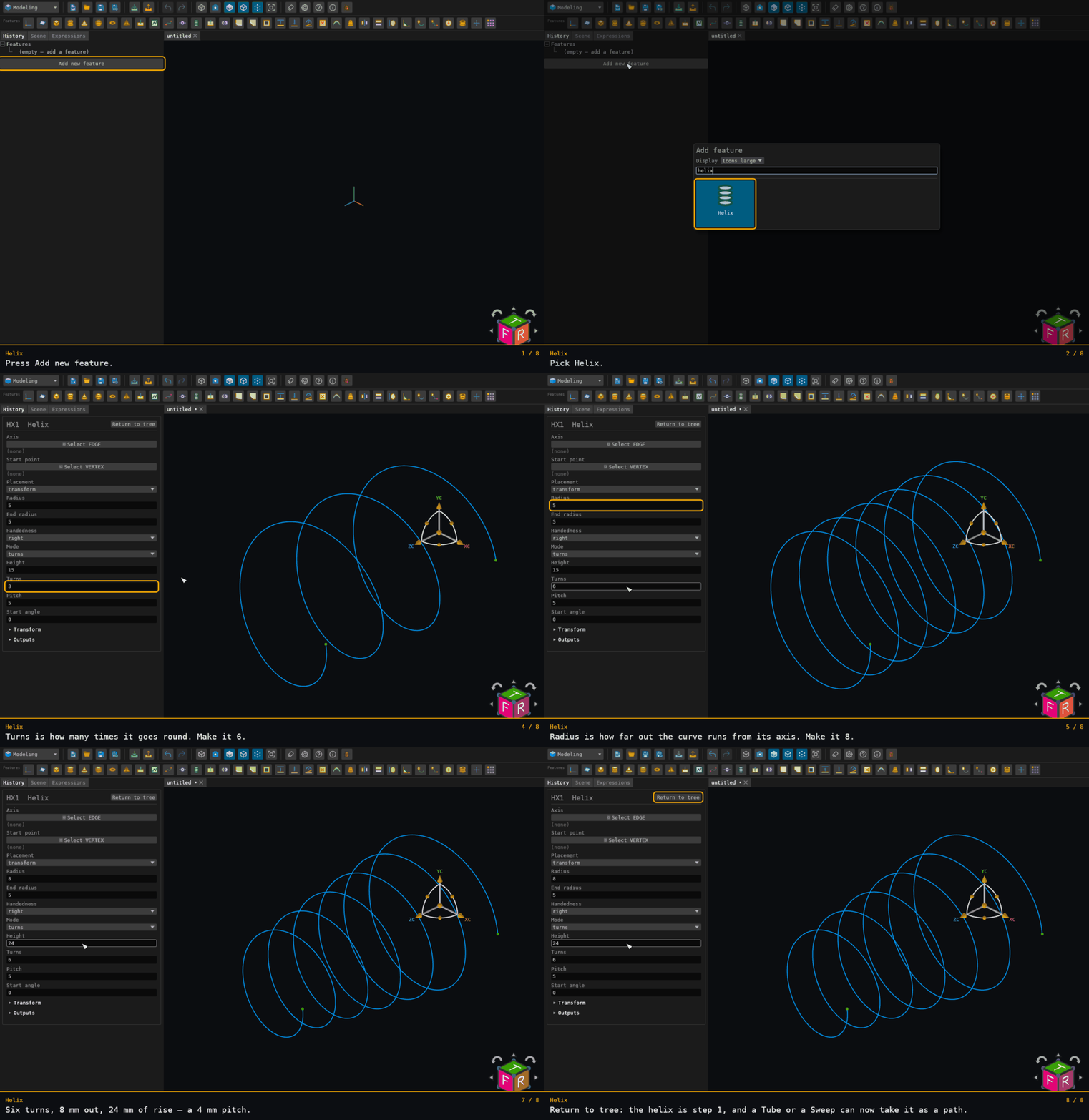
What it registers
- the curve as a named path under both
{id}and{id}:HelixEdge— the second spelling is the edge you see and pick, and the one Path Sweep and Sweep resolve as apath; - its two ends as named points,
{id}:Startand{id}:End; - its axis as a named axis line,
{id}:Axis, usable wherever a sketch line is accepted as an axis (Revolve, Pattern); - the same axis attached to the edge itself, so a Sweep under
pathAlignknows the path is a helix and carries its profile round that axis and up the pitch — see WhatpathAlignbuilds. A helical edge that did not come from this feature (an edge of a solid, an imported curve) carries no axis.
The edge is one cubic NURBS curve fitted through 64 stations per turn, at most 4097 in all, so the density falls off above 64 turns (fit error about 2·10⁻⁷ × radius at 64 per turn). The helical coil sweep uses the same fit, so a helix edge and a coil swept along it agree exactly. Tube sweeps a helix edge too — a curved edge is one swept segment there.
Inputs
id– astring, defaultnull. Also names the published path, points and axis (Helixwhen empty).placementMode– anoptionsvalue:transform(default) oraxis.transform– atransform, default{ position: [0, 0, 0], rotationEuler: [0, 0, 0], scale: [1, 1, 1] }. Used intransformmode: the helix is authored about the origin with its axis along +Z and its start angle measured from +X, then placed by this transform (the same TRS convention the primitives use). A non-uniform scale is applied exactly to the curve.axis– a single (multiple: false)reference_selectionfiltered toEDGE, defaultnull. Used inaxismode: a resident solid edge, or a sketch line by its published axis name. The helix starts at the edge's start.startPoint– a single (multiple: false)reference_selectionfiltered toVERTEX, defaultnull. Optional,axismode only: a sketch point ({sketch}:P{n}) or a solid vertex ({solid}@x,y,z). Its foot on the axis is where the helix starts, and its perpendicular offset (when it is off the axis) is the direction the start angle is measured from.radius– anumber, default5. The radius at the start.endRadius– anumber, default5. The radius at the end; the radius runs linearly between the two, so a different value tapers the helix.handedness– anoptionsvalue:right(default) orleft.mode– anoptionsvalue:turns(default) orpitch; which of the two drives the winding. Height is always applied.height– anumber: total rise along the axis. Default15. Zero gives a flat spiral (or a circle, untapered) inturnsmode;pitchmode refuses a zero height.turns– anumber: number of turns; editable inturnsmode, derived (height / pitch) inpitchmode. Default3.pitch– anumber: distance advanced per turn; editable inpitchmode, derived (height / turns) otherwise. Default5, minimum0.001.startAngle– anumber: starting angle in degrees. Default0.
There is no resolution parameter.
Refusals
A helix that cannot be drawn fails its feature loudly rather than drawing nothing: a
non-positive turns or more than 256, a non-positive pitch in pitch mode, a negative
height, a negative radius or endRadius, radius and endRadius both zero, axis
mode without an axis (or with one that resolves to nothing), or a transform.reference
(not supported for primitives either).
Where to find it
Offered in the Modeling and All
workbenches. Type code HX. The context bar offers it when an edge is selected, since an
edge can seat the axis field.