Sheet Metal Tab
Status: Implemented (Rust-kernel-backed)
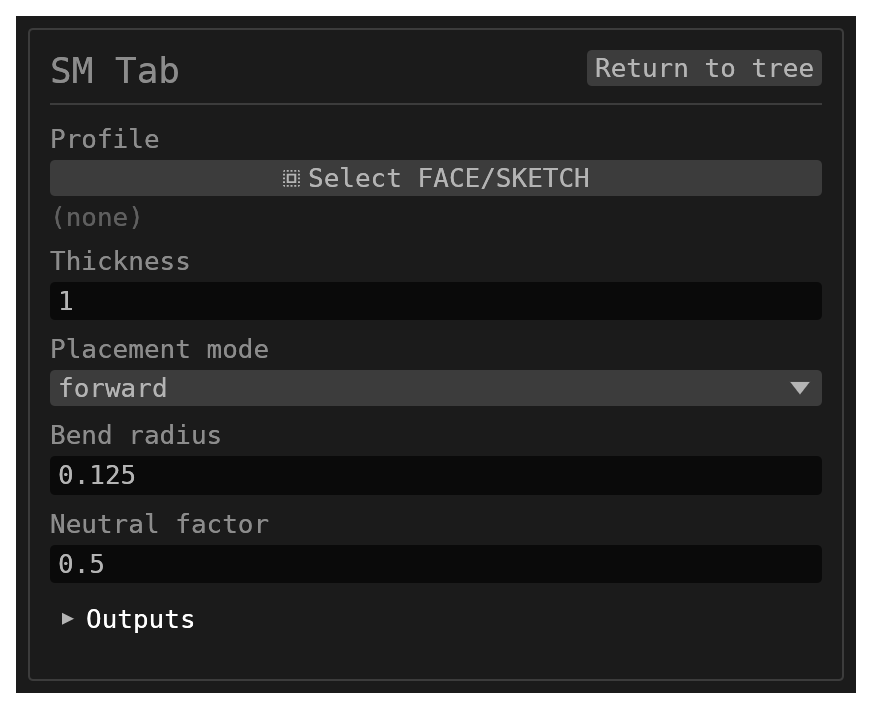
Sheet Metal Tab starts a sheet-metal body from a closed sketch or face profile. Every other sheet-metal feature builds on a body it creates.
Inputs
id–string, defaultnull. Optional identifier for the history entry.profile– singlereference_selection(FACEorSKETCH, defaultnull). Closed sketch or face used to derive the root flat.thickness–number, default1. Global sheet thickness for the model tree; it must be positive.placementMode–options, defaultforward:forward,reverse, ormidplaneplacement relative to the profile plane.bendRadius–number, default0.125. Default inside bend radius stored for downstream flange/hem features.neutralFactor–number, default0.5. Default k-factor stored for downstream bend allowance (0–1).
There is no consumeProfileSketch switch: a sketch profile is always consumed on
success. A FACE profile has nothing to consume and is left alone.
Behavior
- The profile becomes the root flat of the body, extruded by
thickness. The flat pattern (Unfold, flat-pattern export) comes from the same model. - Each outline edge gets a selectable side face, which is what Flange and Hem pick.
- The outer loop is oriented counterclockwise in the profile's local plane.
A clockwise loop is reversed, including each curve's direction. Edges are
named
<id>:e0,<id>:e1, and so on in that resulting order. A loop with fewer than three segments is split at curve midpoints until it has at least three; these resulting segments determine the edge names. - A flat's
<flat-id>:Aface points along its positive normal, and<flat-id>:Bpoints in the opposite direction. These names apply to the root tab and to child flats created by flanges. - The sheet-metal model travels with the body, not with the feature: every downstream sheet-metal feature reads it off the body it targets.
Walkthrough
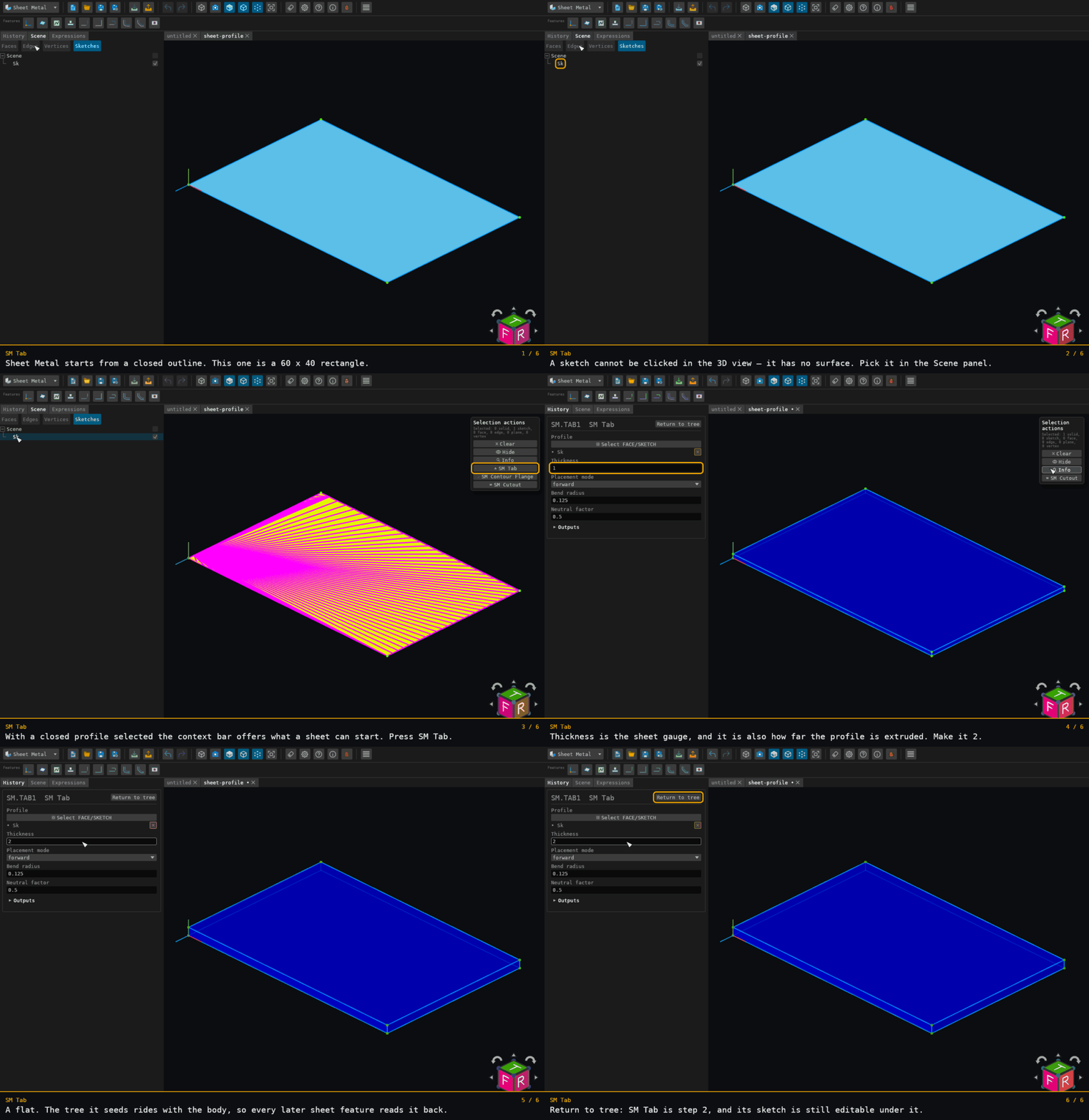
Recorded from the running app by BREP_mcp/tests/videos/sheet-metal-tab.json; regenerate every walkthrough with ./build.sh docs-videos.
SM Tab is the feature that seeds a sheet-metal tree, so it is the one with no sheet to start from. Its profile is a closed sketch — and a sketch has no display mesh, so it cannot be clicked in the 3D view. The walkthrough picks it where a sketch is published: its row in the Scene panel.
The closing volume is the whole feature's arithmetic: 60 × 40 mm of outline at 2 mm gauge is 4800 mm³.