Screw
Id prefix: SCRW · Elements: exactly two · Selection filter: FACE / EDGE / VERTEX · Entry 13 of 16 in the panel's + dropdown
Screw makes a nut advance along a screw by the pitch for every turn it makes. Pick the screw's axis first (a cylindrical face, or a circular or straight edge), then any element of the nut. The nut's turn and advance are measured relative to the screw, so the screw itself may move. Screw does not put the nut on the axis: add a Concentric between the nut's bore and the screw.
pitch is the advance per turn. reverse makes it a left-hand thread. A new Screw moves nothing. Drag the nut round and it walks along the screw; drag it along and it turns.
Parameters
| Parameter | ||
|---|---|---|
elements | the screw's axis, then a nut element | Pick order matters. |
pitch | number, default 1 | Advance along the axis per turn. Expression-capable. |
reverse | boolean, default false | Left-hand thread. |
Walkthrough
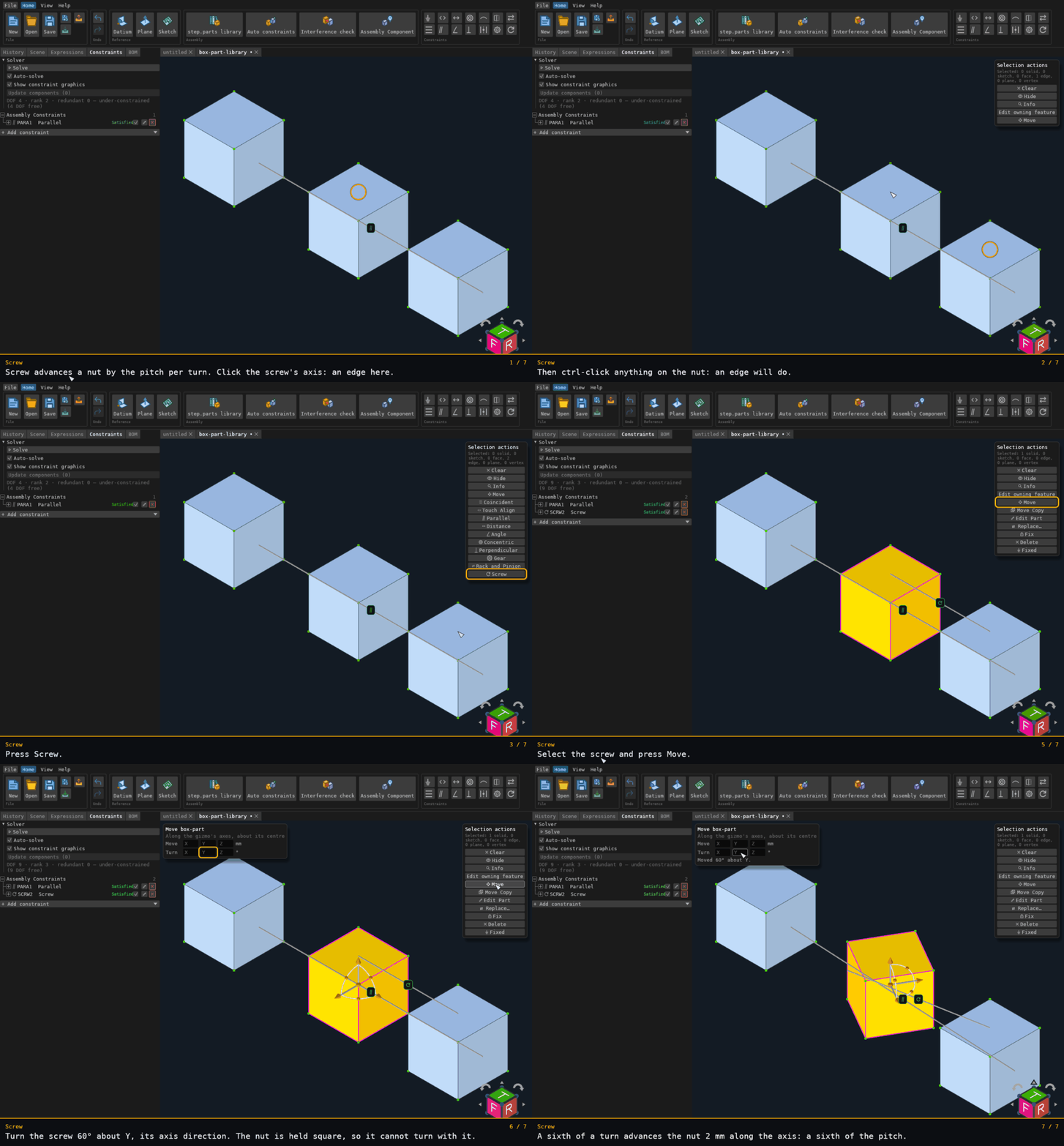
The screw's axis is a vertical edge of one box, the nut is the other box, and the pitch is 12 mm. A Parallel, added before the walkthrough starts, keeps the nut square, as a nut held in a slot is. Turning the screw 60° on the Move card advances the nut 2 mm along the axis: a sixth of a turn, a sixth of the pitch.
Recorded from the running app by BREP_mcp/tests/videos/constraint-screw.json; regenerate every walkthrough
with ./build.sh docs-videos.