docs / features / Fillet
Fillet
Status: Implemented
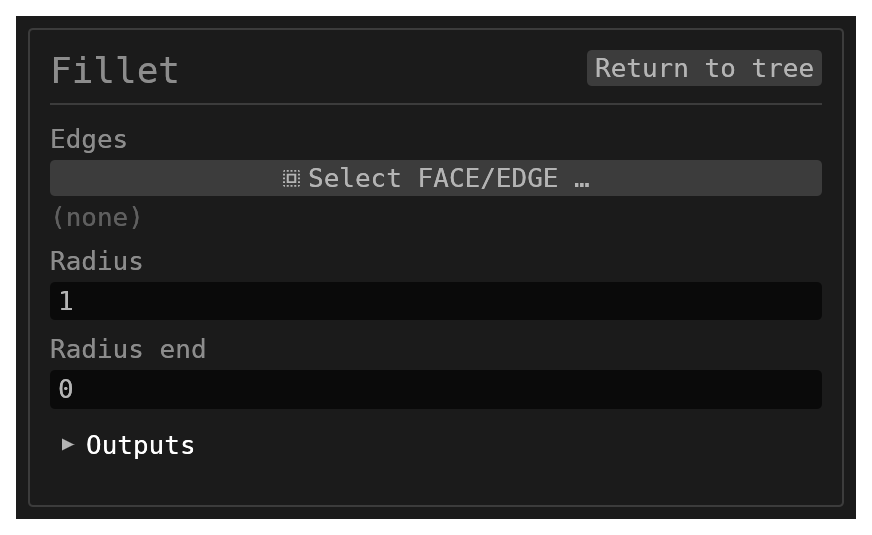
Fillet replaces selected edges on a single solid with a rolling-ball blend — constant radius, or tapered from one radius to another.
Walkthrough
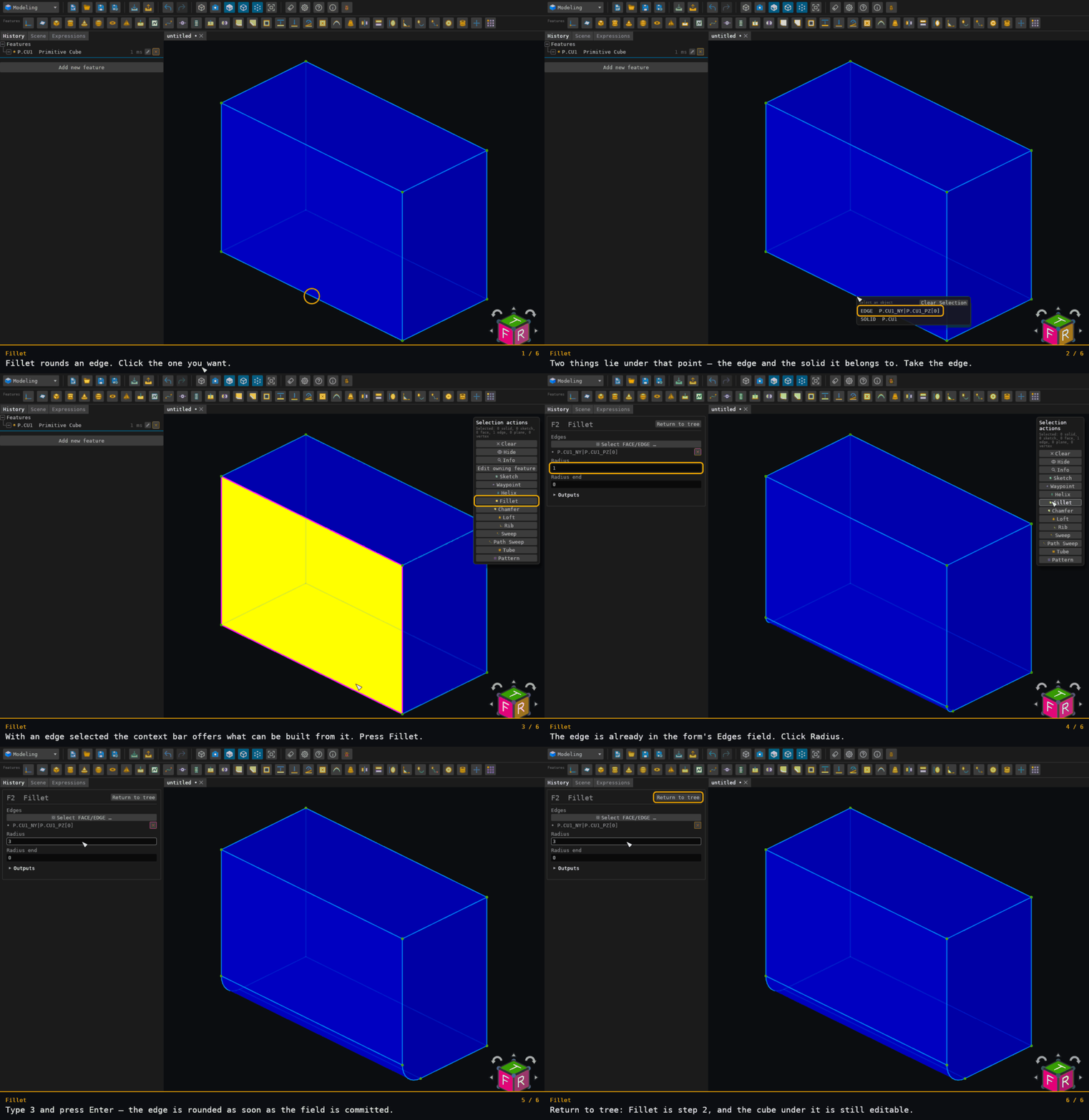
Inputs
id– astring, defaultnull.edges– a multiplereference_selectionfiltered toFACEandEDGE, defaultnull. Pick faces (or edges) to fillet. A face pick means "all of that face's shared edges", and every pick must resolve to the same solid.radius– anumber: the fillet radius. Default1.radiusEnd– anumber: optional end radius for a variable (tapered) fillet.0keeps a constant radius; when it is greater than zero and different fromradius, each edge tapers fromradiusat its start toradiusEndat its end. Corners are not rounded in variable mode.followTangent– abooleancheckbox, Follow tangent. Defaulttruefor a new fillet; a fillet saved before the option existed has no value and reads it as off, so it builds exactly as before. When on, each picked edge grows to its whole tangent (G1) chain: pick one edge of a rounded rectangle and the fillet runs round the whole loop, lines and arcs. A chain stops at a sharp corner, and at a vertex where more than one edge carries on tangentially (an ambiguous fork), and at an edge that is already in the selection. A closed chain is taken whole. Only edges picked as edges grow: a picked face still means that face's own edges. The edges the option added are listed on the feature (the orange banner and its leaf in the history tree: "Follow tangent added N tangent-chain edges: …"). The chain is worked out again on every rebuild from the edges you picked; it is never stored.
Behaviour
- Every selected edge is handed to the kernel in a single call, so the blend rounds the shared convex corners of a selection as one unit rather than edge by edge.
- The result reuses the target solid's name: the target is removed and the blended body is added under the same name, so downstream references keep resolving.
- Concave base edges around a boss or rib can form miters around convex corners, including asymmetric corners. General mixed and tapered corner selections remain limited.
- Each blend face is named after the edge it grew from,
{id}:BLEND:{edgeName}, and a star-corner patch is{id}:BLEND:CORNER:{adjacent edge names}. With no id the prefix isF. Existing face and edge names carry through unchanged.
Limitations
- A selection that mixes convexity at one corner is refused, and the refusal is final. Where a selected convex edge meets two or more selected concave edges at one corner — a rib's roof-to-side spine running out into the concave ring around its base — the convex blend would have to run out against the concave ones partway along its edge, and that run-out is not built. The feature fails by name, telling you which edges to separate and where the convex blend's ball leaves its own faces. Nothing is filleted: the feature does not partially apply. A notch corner — one concave edge with the convex edges running into it — is built.
- Splitting such a selection into two fillet features does not work around it. The convex wall comes out at full length, past where it should die out. Concave edges first: the second feature is refused, naming the face and the point where that face's boundary crosses itself (its area would be wrong while its volume looks right). Convex edges first: the second feature leaves an edge unfilleted and reports the same reason, so you get nine walls where you asked for ten. Until the run-out is built, fillet the concave ring or the convex spines, not both. No radius avoids the corner: it is refused for its shape — two or more concave edges meeting a convex one — not for how big the balls are.
- A fillet through a bend tighter than its own radius builds with a crease. Along a curved edge the ball's centre traces its own curve, and where that curve turns in a circle smaller than the ball, the surface the ball sweeps would pass back through itself. The fillet cuts that folded part away, and the two sides of the wall meet along a sharp crease that shows up as an edge inside the blend face — which is the shape a ball of that radius actually leaves. The rest of the selection is unaffected, and nothing is dropped.
- Some tight bends are still refused, and the refusal is final. The crease is built today for a fillet along a closed ring of arcs — the collar where a tube passes through a face is the typical one. A chamfer through such a bend, a fillet along an edge that ends at corners, a fillet along a single unbroken closed edge (around the mouth of a bore, say), and a fold that would reach the edge of the wall where it meets one of its two faces are refused instead, giving the point, the radius of curvature measured there and the radius asked for; nothing is filleted and the selection is not partially applied. A SMALLER radius usually builds: the threshold is a property of the edge's own shape, so two edges on one part can have thresholds far apart.
- A selection spanning more than one solid is a quiet no-op: nothing is filleted.
- A non-positive or non-finite
radiusis a quiet no-op. - Edge names that do not resolve are recorded as unresolved; if nothing resolves the feature does nothing.
- Some surface combinations use fitted geometry. Face-pair coverage does not guarantee every radius or trim, and partial-selection fallback can leave some requested edges unchanged; inspect the full selection in the result.
- When the kernel blend itself fails, the feature fails with
fillet failed: …and the original solid is left untouched. - A fillet wall that runs into a hole is repaired, and the result says so. Where the blend's own wall and another face of the same body end up passing through each other — a wall reaching into a bore the fillet overlaps, say — the kernel splits both faces along the curve they share, drops the parts that lie inside each other, re-trims the neighbouring faces the dropped material bordered, and re-sews. The feature then carries a note saying what it repaired: which faces crossed, which pieces were dropped and which neighbours were re-trimmed. The note shows under the feature in the history tree and as a banner when you open it, so a repaired result is never returned silently; where the repair cannot prove its own answer the feature fails instead of returning one.
Supported faces
Fillet supports edges between the following surface types. Cone includes a frustum, Revolution is any general or partial surface of revolution, and NURBS is a free-form surface.
Legend: ✅ supported and covered by a focused regression · ↖ same unordered
pair as the corresponding cell above the diagonal.
| First face ↓ × second face → | Plane | Cylinder | Cone | Sphere | Torus | Revolution | NURBS |
|---|---|---|---|---|---|---|---|
| Plane | ✅ | ✅ | ✅ | ✅ | ✅ | ✅ | ✅ |
| Cylinder | ↖ | ✅ | ✅ | ✅ | ✅ | ✅ | ✅ |
| Cone | ↖ | ↖ | ✅ | ✅ | ✅ | ✅ | ✅ |
| Sphere | ↖ | ↖ | ↖ | ✅ | ✅ | ✅ | ✅ |
| Torus | ↖ | ↖ | ↖ | ↖ | ✅ | ✅ | ✅ |
| Revolution | ↖ | ↖ | ↖ | ↖ | ↖ | ✅ | ✅ |
| NURBS | ↖ | ↖ | ↖ | ↖ | ↖ | ↖ | ✅ |
Multi-edge corners, high-valence stars, and tapered fillets have limitations beyond the face pair.