Spline
Status: Implemented
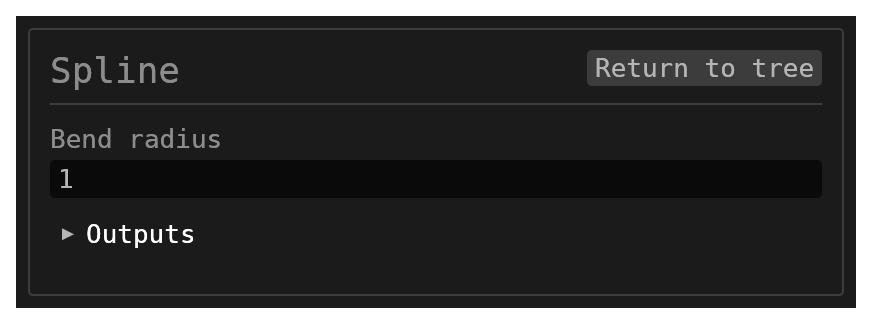
(The image shows the schema-driven part of the form. The Anchors section below it is drawn by the app against the live engine, which the documentation capture rig does not run.)
Spline creates a Hermite curve through a list of through-points (anchors), publishes it into the scene as a named path other features can sweep along, and — when its end anchors are attached to connection points (a part's ports) — becomes a segment of the wire-harness network.
Walkthrough
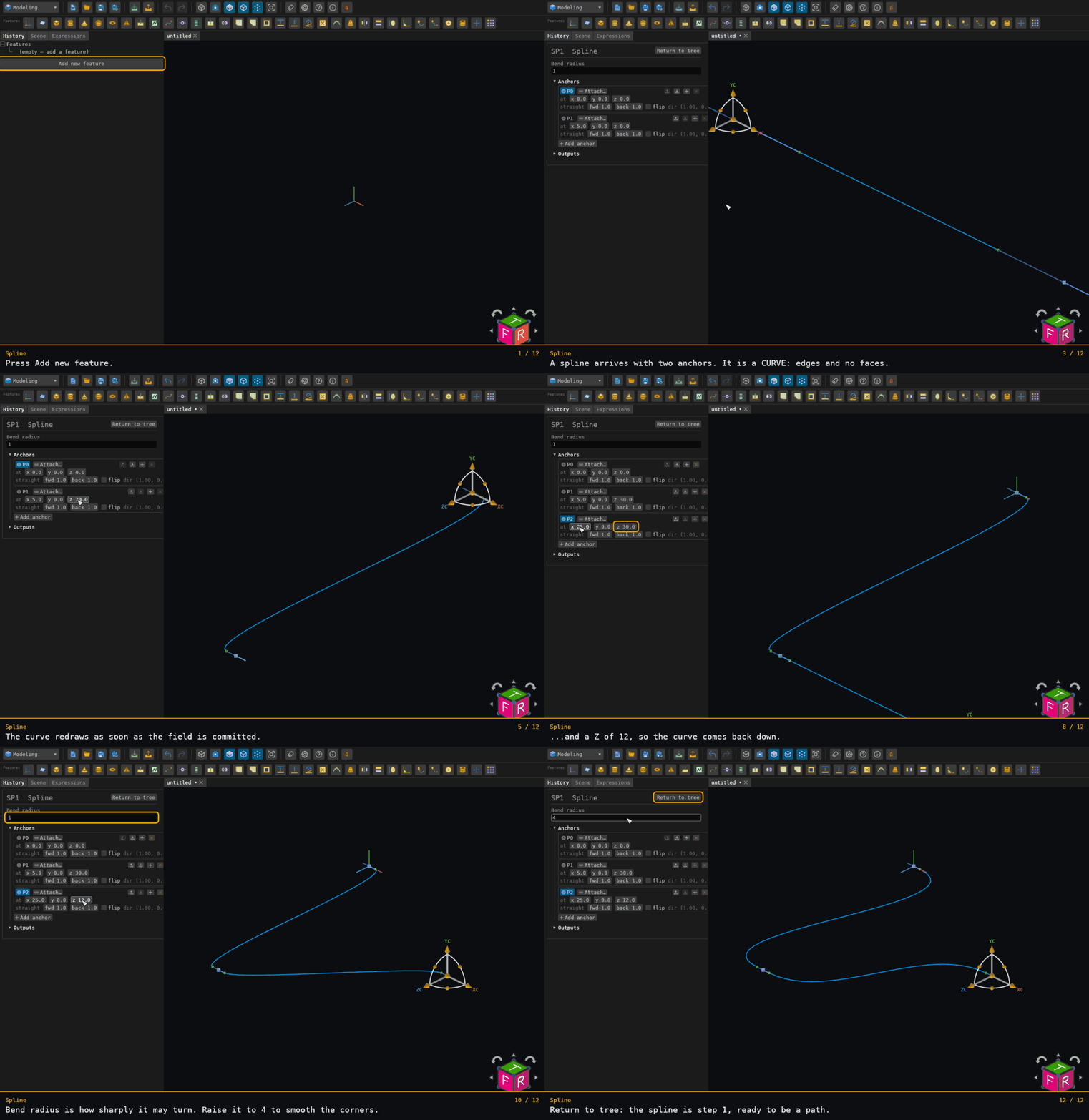
Recorded from the running app by BREP_mcp/tests/videos/spline.json; regenerate every walkthrough with ./build.sh docs-videos.
Inputs
splinePoints– the anchor list, edited in the form's Anchors section (below). Stored in the feature'spersistentData.spline.points, like a sketch stores its geometry.bendRadius–number, default1. Controls the smoothness of the transitions; lower values sharpen the bends, higher values smooth them. Clamped to[0.1, 5.0]internally.id–string, defaultnull. Optional identifier for the history entry; it also names the published path.
The Anchors editor
Opening a spline's form arms the move/rotate gizmo on its first free anchor, so a new spline can be shaped by dragging straight away. One row per anchor:
- P0, P1, … — select the anchor; the gizmo moves to it (a free anchor). Clicking an anchor's dot in the viewport selects it the same way. Drag the gizmo's arrows to move the anchor, its rings to turn its travel direction (the gizmo's X axis is the direction). A drag is one undo step. Selecting an attached anchor arms nothing — the port places it.
- at x y z — its position, typed. Read-only while attached (the port places it).
- straight fwd / back — how far the curve runs straight out of / into the anchor before and after its bend.
- flip — reverse the travel direction (read-only while attached; the side decides).
- Attach… — pick a port in the viewport; the anchor snaps to the port's base point,
takes the port's direction and its
extensionas both straight runs, and follows the port from then on. A port carried by a placed part (ACOMP1:J1.VCC) is picked the same way. Attached anchors show<port>with an A | B side switch (leave along the port direction, or against it) and Detach, which keeps the anchor where the port left it. - reorder, inserts after, removes (a spline keeps at least two anchors); Add anchor appends one past the last anchor along its direction.
While the form is open the viewport draws each anchor's direction cage — the forward run in blue, the backward run dimmer — and a dot per anchor (green = selected, orange = attached).
Behaviour
- Spline produces no solid. What it registers is:
- the curve chain as a named path under both
{id}and{id}:SplineEdge— the second spelling is the one Tube, Sweep and Path Sweep reference; - every anchor as a named point
{id}:P{index}and as an axis{id}:P{index}through it along its travel direction.
- the curve chain as a named path under both
- The anchors are through-points: the curve interpolates them. Each adjacent pair contributes three pieces — a straight run out of the first anchor along its forward extension, a cubic Hermite span, and a straight run into the next anchor from its backward extension. Zero-length pieces are dropped so the chain stays usable as a path.
- The path is published as exact pieces (a line per straight run, a cubic Bézier per Hermite span), not a sampled polyline.
- Attached anchors are live. On every rebuild an attached anchor takes the port's
current base point, its direction (negated for side
B) and itsextension, so the spline follows the port when it moves. An attachment naming a port that no longer exists is reported as unresolved and the anchor falls back to its stored placement. - With fewer than two points the curve falls back to a default pair from
(0,0,0)to(5,0,0). A malformed rotation falls back to identity and a non-numeric distance to1.0. - A committed spline is drawn in the viewport as a sketch-like curve with its anchors as vertices, pickable and listed in the Scene tree.
As a harness segment
A spline whose first and last anchors attach to two different ports is a segment of the wire-harness network. The side of each port the segment occupies is read from the curve's end tangent, so the anchors' sides decide which physical side of a waypoint the run uses. See the workbench page for the routing rules.
Where to find it
Offered in the Wire harness, Modeling
and All workbenches. Type code SP.