NURBS Solid
Status: Implemented
NURBS Solid is the free-form primitive: a control cage of points wrapped around a box, cylinder or sphere, and the smooth bicubic B-spline body those points control — the "subdivision" of the cage, lying inside it the way a subdivision surface lies inside its control mesh. Every point of the cage is a handle in the 3D view. Drag one and the body bends smoothly with it; select several and they move as one; insert a new loop of points where you want finer control and keep sculpting. The result is an ordinary solid: one closed face that booleans, fillets, patterns and exports like any other.
Inputs
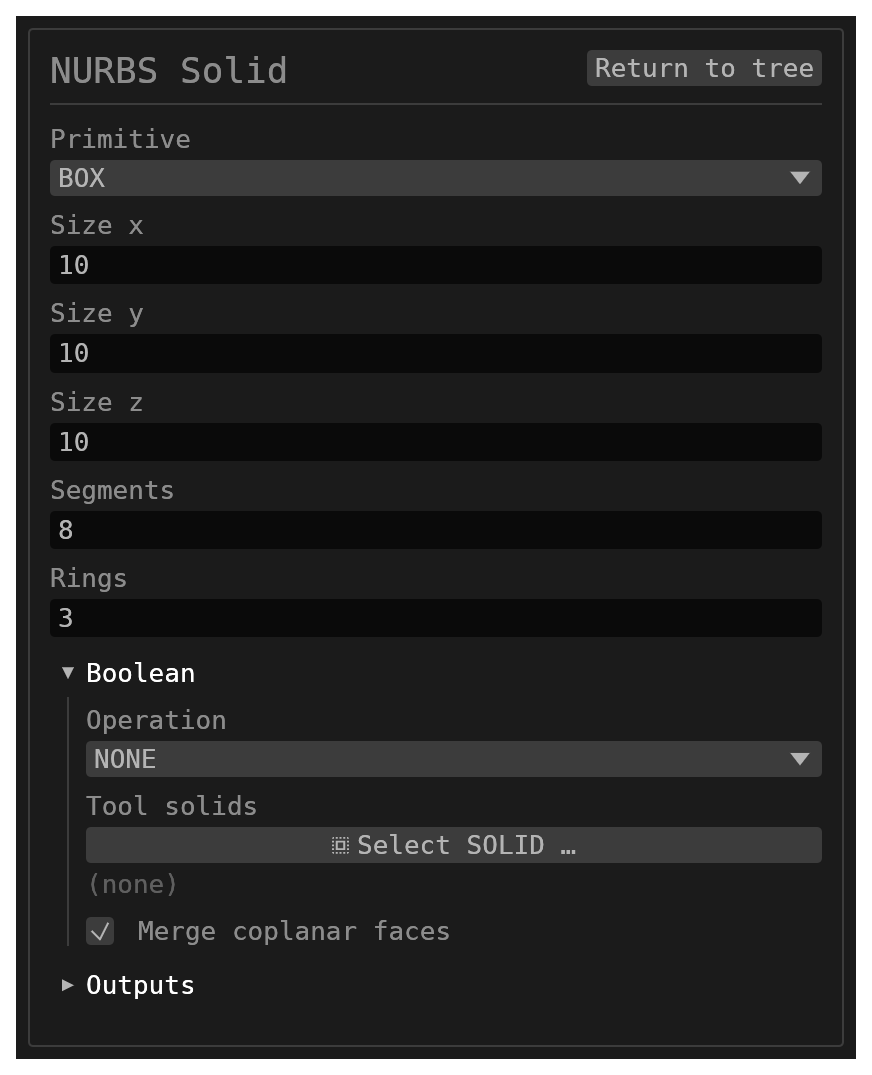
id(string, defaultnull) – names the history entry, the solid and its face.primitive(options,BOX/CYLINDER/SPHERE, defaultBOX) – the shape the initial cage is wrapped around.sizeX,sizeY,sizeZ(number, default10each) – the cage's extents, centred on the origin. Y is the pole-to-pole axis, as for every other primitive.segments(number, default8, at least4) – control points around each ring of the initial cage.rings(number, default3, at least2) – rings of control points between the two poles of the initial cage.boolean(boolean_operation, default operationNONEwith no targets andmergeCoplanarFaces: true) – optional union / subtract / intersect after creation.
There is no transform group: the cage lives in world space, so the point you drag in the
viewport is exactly the point the body is built from. Move the whole body by selecting
every point, or transform the result downstream.
The cage
A cage is rings rings of segments points each, closed around the Y axis, plus one
pole point at either end. The body is a bicubic B-spline surface: smooth (C²) across
every ring and column of the cage, through the two poles, and across the seam where the
surface closes on itself — a deformed cage shows no crease along the seam edge.
The cage's points sit on the primitive; the smooth body lies within them, touching the
cage only where three of its points are in line (a box's flat sides). A sphere of
sizeX = 10 therefore gives a body somewhat smaller than radius 5, exactly as a subdivision
surface shrinks inside its control box. More segments and rings bring the body closer to
the cage.
Editing in the 3D view
Open the feature's form: the cage is drawn over the body — its rings, its columns and a dot at every point.
- Click a dot to select that point. The move/rotate gizmo arms on it; drag the gizmo's arrows or centre and the point follows, the body re-shaping live. A single point's gizmo has no rotation rings (one point has nothing to turn about).
- Shift-click (or Ctrl-click) a dot to add it to the selection or take it out again. The gizmo moves to the selection's centre; a drag moves every selected point together, and the rotation rings turn the selection about that centre.
- The form's Cage section grows the selection to whole loops: Ring selects the complete ring of each selected point, Column its complete pole-to-pole column, All every point (the way to move the whole body), None clears the selection.
- With exactly one point selected its position can be typed into the
x/y/zfields.
A drag is one undo step, however long.
Inserting loops
Where the cage is too coarse, insert a loop of points beside the selected point:
- insert ring — Above / Below adds a complete ring between the selected point's ring and the next one towards the top or bottom pole (a selected pole takes the ring beside it).
- insert column — Next / Previous adds a complete pole-to-pole column between the selected point's column and its neighbour around the ring.
Both are knot insertions: the body does not move, it simply gains handles there. The new loop is selected afterwards, so it can be dragged at once. Loops inserted close together tighten a feature; keep inserting to shape the body as finely as you need.
Behaviour
- The first move or insertion keeps a copy of the cage with the feature (
persistentData.cage). From then on that edited cage is the body, and the primitive fields above are only the shape it started from; the Cage section says which state the feature is in. Reset cage drops the edited cage and returns to the primitive the fields describe. - The solid and its single face are both named
{id}; the face carries a seam edge and two degenerate pole edges, like a sphere's. - Never offered by the selection context bar — it takes no references.
- Scripts reach every dot as
cage/point:<index>(0 the bottom pole, then the rings bottom-up, the top pole last) and the Cage section's controls ashistory/cage:….
Limitations
- Every
sizemust be positive;segmentsmust be at least 4 andringsat least 2 (the initial cage is capped at 64 of each). - The body is one face: downstream features see one face, one seam edge and two pole vertices.
- Removing a loop is not offered; undo takes an insertion back.